
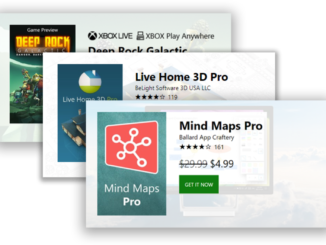
A new product badge for Microsoft Store applications

2018-05-19 KENNETH 0

A new product badge for Microsoft Store applications As many of you know, building quality apps is quite a commitment and investment in time. Once your app is in the Store, the next challenge is getting the word out about your new title and driving traffic to your product. Today, we’d like to announce a new tool for marketing your apps in your own blogs and websites. We’d like to introduce our new web badge for Microsoft Store products. The new badge will render in your own website pulling localized logo, pricing (including sale pricing!), ratings and artwork directly from the store catalog. To render this badge for 8 Zip simply embed this script using its Store Id (9wzdncrfhwb8). Please note you must add the Id in two places in the badge script, the “class=” and inside the “mspb-“. <div [ more… ]
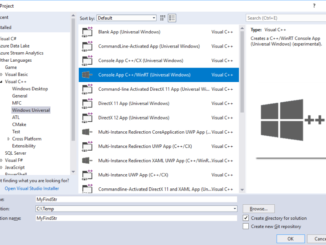
Console UWP Applications and File-system Access

2018-05-19 KENNETH 0

Console UWP Applications and File-system Access As announced in the May 2018 issue of MSDN Magazine, the latest Windows update introduces support for Console UWP apps. We’re also introducing support for UWP apps to get broader access to the file-system than was previously possible. In fact, it was during the design and development phases of the Console app support that we realized we’d need to provide these apps with better file-system access – so the two features complement each other nicely. Console apps represent a significant departure from the “normal” UWP model. Specifically, these apps don’t have their own windows, and don’t use the familiar input mechanisms. One of the attractions of UWP is the rich UI support, which allows you to build beautiful, highly-interactive apps. Console apps, on the other hand, use the standard console window for input and [ more… ]

Announcing support for Pen with Windows Application Driver v1.1 – Preview available now

2018-05-18 KENNETH 0

Announcing support for Pen with Windows Application Driver v1.1 – Preview available now Windows Application Driver (WinAppDriver) is continuing Microsoft’s investment in UI test automation tools for Windows 10, and now, we’re excited to announce the next release of WinAppDriver—version 1.1! A preview is available today— bringing support for Pen automation. The full v1.1 release is also on the horizon and will feature support for Multi-Touch in addition to Pen. What is WinAppDriver? For those of you who aren’t familiar with WinAppDriver or UI automation, WinAppDriver is an open-standards based UI automation service designed to work with all kinds of Windows 10 applications including WPF, WinForms, legacy Win32, and UWP. By complying with an open-standard, WinAppDriver users will be able to leverage the robust UI automation ecosystem already provided by Appium and Selenium. What’s new in the v1.1 Preview In [ more… ]

No Image

Previewing support for same-site cookies in Microsoft Edge

2018-05-18 KENNETH 0

Previewing support for same-site cookies in Microsoft Edge Yesterday’s Windows Insider Preview build (build 17672) introduces support for the SameSite cookies standard in Microsoft Edge, ahead of a planned rollout in Microsoft Edge and Internet Explorer. Same-site cookies enable more protection for users against cross-site request forgery (CSRF) attacks. Historically, sites such as example.com that make “cross-origin” requests to other domains such as microsoft.com have generally caused the browser to send microsoft.com’s cookies as part of the request. Normally, the user benefits by being able to reuse some state (e.g., login state) across sites no matter from where that request originated. Unfortunately, this can be abused, as in CSRF attacks. Same-site cookies are a valuable addition to the defense in depth against CSRF attacks. Sites can now set the SameSite attribute on cookies of their choosing via the Set-Cookie header [ more… ]

No Image

Announcing the Xbox Adaptive Controller for accessible gaming

2018-05-17 KENNETH 0

Announcing the Xbox Adaptive Controller for accessible gaming Here are some of the highlights from Phil’s post: “We have been on a journey of inclusive design, which celebrates and draws inspiration from people who are often overlooked in the typical design process. For gamers with limited mobility, finding controller solutions to fit their individual needs has been challenging. The solutions that exist today are often expensive, hard to find, or require significant technical skill to create. A number of individuals and organizations are creating custom solutions, but it has been often difficult for them to scale when most rigs need to be so personalized. Joining the Xbox family of controllers and devices, the Xbox Adaptive Controller was created to address these challenges and remove barriers to gaming by being adaptable to more gamers’ needs.  It was developed in partnership with [ more… ]