Announcing Windows Server 2019 Insider Preview Build 17639

2018-04-11 KENNETH 0

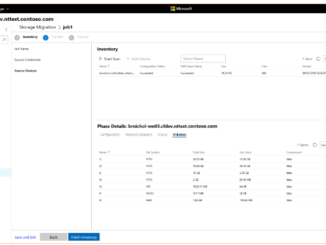
Announcing Windows Server 2019 Insider Preview Build 17639 Hello Windows Insiders! Today we are pleased to release a new build of the Windows Server vNext Long-Term Servicing Channel (LTSC) release that contains both the Desktop Experience as well as Server Core in all 18 server languages, as well as a new build of the next Windows Server Semi-Annual Channel release. Please also refer to this recent blog announcement about updates to the Windows Server Semi-Annual Channel. There are two major areas that we would like you to try out in each preview release and report back any issues: In-place OS Upgrade (from Windows Server 2012 R2, Windows Server 2016) Application compatibility – please let us know if any server roles or applications stops working or fails to function as it used to What’s New in the Latest Build  Click here [ more… ]

No Image

A closer look at MSI’s new gaming laptops powered by Windows 10

2018-04-10 KENNETH 0

A closer look at MSI’s new gaming laptops powered by Windows 10 These devices, powered by Windows 10, come with simple, built-in Mixer streaming for low-latency, interactive moments for viewers and streamers to engage with other gamers, while Xbox Play Anywhere enables you to buy a game once and play it on both your Xbox One and Windows 10 PC.  The MSI GS65 Stealth Thin The GS65 Stealth Thin features a 144 Hz display with 4.9mm thin bezel design, achieving a stunning 82% screen-to-body ratio. Packing advanced features in to the smallest dimension possible, with outstanding golden diamond-cutting design, the MSI GS65 Stealth Thin brings gaming laptops into a new, stylish gaming era. It arrives equipped with the 8th Gen. Intel Core i7 processor, GEFORCE GTX 10 series graphics and MSI Cooler Boost Trinity cooling design to provide uncompromised gameplay for all gaming perfectionists. 144Hz thin [ more… ]

Windows 10 Tip: 10 things you can do in Windows Mixed Reality right now

2018-04-10 KENNETH 0

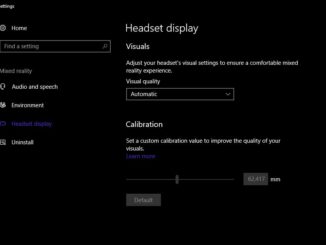
Windows 10 Tip: 10 things you can do in Windows Mixed Reality right now To experience Windows Mixed Reality, you’ll need a few things: a compatible Windows 10 PC, a Windows Mixed Reality headset, and the Windows 10 Fall Creators Update for your PC. For the best experience, you’ll also want a pair of Windows Mixed Reality motion controllers. Now, all set up but not sure where to begin? Here’s a list of ten things for you to try in Windows Mixed Reality right now. Personalize your display Before you start playing in mixed reality, you’ll want to adjust your headset display for your interpupillary distance (IPD). Since everyone has a different distance between their eyes, it’s important to change your headset’s software settings to match your own IPD for the best image quality and depth accuracy when you play. [ more… ]

All the new laptops, All-in-Ones, and game-ready PCs Dell announced this week

2018-04-05 KENNETH 0

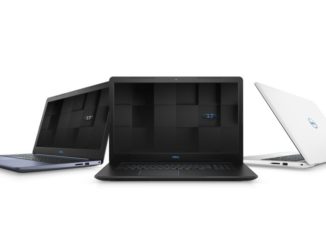
All the new laptops, All-in-Ones, and game-ready PCs Dell announced this week Powered by Windows 10, these devices arrive built-in with your digital personal assistant Cortana* and optional cameras and fingerprint readers that light up Windows Hello for fast and secure login. With the Windows 10 Fall Creators Update, you can also save files in OneDrive, and access them like any other file on your PC without filling up disk space; download files on-demand; or select files to always be available offline – or, tell your story easily in the reimagined Photos app with a soundtrack, transitions, 3D effects, and more. Your gaming device with Windows 10 comes with simple, built-in Mixer streaming for low-latency, interactive moments for viewers and streamers to engage with other gamers, while Xbox Play Anywhere enables you to buy a game once and play it on both your Xbox One and Windows [ more… ]

Announcing Windows 10 Insider Preview Build 17639 for Skip Ahead

2018-04-05 KENNETH 0

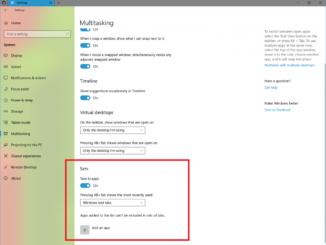
Announcing Windows 10 Insider Preview Build 17639 for Skip Ahead Hello Windows Insiders! Today, we are releasing Windows 10 Insider Preview Build 17639 (RS5) to Windows Insiders who have opted into Skip Ahead. What’s new in Build 17639 The next wave of Sets improvements is here What belongs together stays together – we designed Sets to help you keep webpages, documents, files, and apps connected. We’ve been hard at work since our first wave of Sets improvements for RS5, and when you install today’s build you’ll find: Drag and drop app tabs within and between Sets windows is now supported: It works just like it sounds! You can now drag an app tab around within the Set or combine tabbed app windows into Sets. Note: If you open a Microsoft Edge tab outside of a Set, you can’t drag and [ more… ]