No Image

Windows 10 SDK Preview Build 17120 now available

2018-03-21 KENNETH 0

Windows 10 SDK Preview Build 17120 now available Today, we released a new Windows 10 Preview Build of the SDK to be used in conjunction with Windows 10 Insider Preview (Build 17120 or greater). The Preview SDK Build 17120 contains bug fixes and under development changes to the API surface area. The Preview SDK can be downloaded from developer section on Windows Insider. For feedback and updates to the known issues, please see the developer forum. For new developer feature requests, head over to our Windows Platform UserVoice. Things to note: This build works in conjunction with previously released SDKs and Visual Studio 2017. You can install this SDK and still also continue to submit your apps that target Windows 10 Creators build or earlier to the store. The Windows SDK will now formally only be supported by Visual Studio 2017 and greater. You can download [ more… ]
No Image

Sea of Thieves now available worldwide on Windows 10 and Xbox One

2018-03-20 KENNETH 0

Sea of Thieves now available worldwide on Windows 10 and Xbox One The week of launch is basically one long celebration of Sea of Thieves, with an array of cool activities across the world. We have our launch events across all Microsoft Store locations in the U.S., with special events at the flagship Microsoft Store in New York and Sydney. The Quest for the Golden Bananas offers crafty crews riddles to solve for a chance to win four 18-carat gold bananas, while which The Voyage live stream in the UK presents an opportunity for the community to engage with their favorite content creators. The game is available to buy now for $59.99/£49.99/€69.99, and you have the ability to purchase it for your personal library or become a member of Xbox Game Pass and play for $9.99 a month. As a [ more… ]

Windows 10 Tip: View 360° videos and photos in Microsoft Edge with your Windows Mixed Reality headset

2018-03-20 KENNETH 0

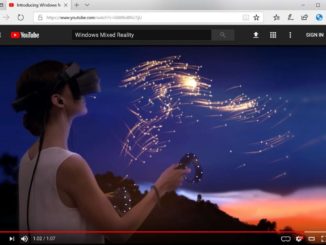
Windows 10 Tip: View 360° videos and photos in Microsoft Edge with your Windows Mixed Reality headset With the 360 Viewer extension and a Windows Mixed Reality headset plugged into your PC, you can view 360° videos and photos in your headset from Microsoft Edge, simply by clicking the Windows Mixed Reality icon that has been added to the video or photo. You can also navigate to a website in Microsoft Edge on your desktop, play a 360° video and click on the Mixed Reality icon. This will automatically launch Windows Mixed Reality and start playing the 360° video in your headset, as long as you have your headset plugged into your PC. Once you’ve downloaded this extension, you can browse Facebook.com and see 360° photos, watch 360° YouTube videos of a shark encounter or enjoy 360° videos from the [ more… ]

Windows 10 Accessibility: What to expect in the year ahead

2018-03-20 KENNETH 0

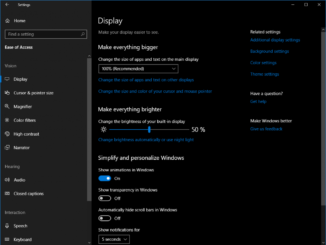
Windows 10 Accessibility: What to expect in the year ahead Our journey this year begins with maintaining our investments on visual accessibility features as well as diversifying our efforts across new and improved accessibility experiences coming in the next update of Windows 10. Many of these new features are available to preview in the Insider builds today. These include, easier to navigate new Ease of Access Settings; continued improvements for Narrator usability and eye control navigation; added features for improved reading and writing outcomes; and collaborating with assistive technology partners to support emerging Windows 10 experiences and bring more assistive technology related apps to the Store. New Ease of Access Settings As we have been improving and adding accessibility features to Windows, we recognized the opportunity to make our Ease of Access Settings easier to discover, learn and use. Easier [ more… ]

Announcing Windows 10 Insider Preview Build 17623 for Skip Ahead

2018-03-17 KENNETH 0

Announcing Windows 10 Insider Preview Build 17623 for Skip Ahead Hello Windows Insiders! Today, we are releasing Windows 10 Insider Preview Build 17623 (RS5) to Windows Insiders who have opted into Skip Ahead. What’s new in Build 17623 Introducing High Efficiency Image File Format (HEIF) in Windows 10 The High Efficiency Image File Format (HEIF) has arrived for Windows 10 and the Photos app! HEIF is an image container that leverages modern codecs like HEVC to improve quality, compression, and capabilities compared to earlier formats like JPEG, GIF, and PNG. In addition to traditional single images, HEIF supports encoding image sequences, image collections, auxiliary images like alpha or depth maps, live images & video, audio, and HDR for greater contrast. We have heard your feedback that these features and the ability to share photos easily with other platforms is important to [ more… ]