

Microsoft doubles down on Windows 10 IoT with added support

2018-02-27 KENNETH 0

Microsoft doubles down on Windows 10 IoT with added support Companies making IoT devices have demanding expectations of their hardware and software. Microsoft is dedicated to delivering high quality, reliable IoT solutions for the devices which operate in harsh environments and are expected to last for many years. For decades, Microsoft has been serving customers in the embedded and IoT markets and we continue to increase our investment and commitment to this market. Through a broader hardware portfolio, customers have greater ability to quickly and securely develop devices to power our lives and our world. At the Embedded World Conference today, we announced an expansion of our supported silicon offering for Windows 10 IoT Core and committed that the next releases of Windows 10 IoT Core and Windows 10 IoT Enterprise will offer 10 years of support. Windows 10 IoT [ more… ]
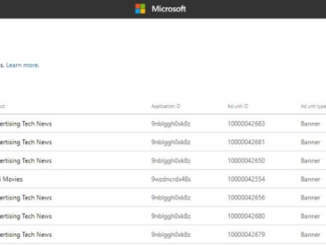
Announcing new Ad Monetization policies and updates to Ad unit management UX

2018-02-27 KENNETH 0

Announcing new Ad Monetization policies and updates to Ad unit management UX Today, we are announcing new policy around ad unit decommissioning, user experience updates to manage active/inactive ad units, default policies around Ad network enablement, and changes to the Ad impression measurement methodology for Windows apps. You may be impacted if you are monetizing using Ads on your Windows app leveraging the Microsoft Advertising SDK (UWP or 8.x apps). 1) Auto enabling new ad networks for Manual ad units on UWP apps Our team continues to evaluate and onboard new Ad networks to improve yield and offer better variety of demand (formats, market specific demand) for our publishers. Today, when a new ad network is onboarded to our system, UWP ad units that are configured with the ‘Manual configuration’ option do not benefit from these networks as they are [ more… ]

No Image

Windows 10 Tip: Ask Cortana to shut down, restart or sleep your PC

2018-02-27 KENNETH 0

Windows 10 Tip: Ask Cortana to shut down, restart or sleep your PC {$inline_image} With the Windows 10 Fall Creators Update, you can shut down, restart, or sleep your PC simply by saying any of these: “Hey Cortana, lock my computer.” “Hey Cortana, shut down my computer.” “Hey Cortana, restart my computer.” Head over here to read more about what’s new in the Fall Creators Update, and have a great week! *Cortana available in select markets. Source: Windows 10 Tip: Ask Cortana to shut down, restart or sleep your PC

No Image

#ifdef WINDOWS – How to enable WebVR with just two lines of code with BabylonJS

2018-02-24 KENNETH 0

#ifdef WINDOWS – How to enable WebVR with just two lines of code with BabylonJS BabylonJS is a very powerful JavaScript framework for building 3D apps and games with web standards, used by game developers to build some amazing experiences that can run on any platform and device. This includes Windows Mixed Reality and VR platforms such as Oculus or SteamVR.   With the latest release of BabylonJS, developers can enable immersive experiences with only 2 lines of code. David Rousset, one of the core authors of BabylonJS, stopped by to show just how easy it is to create fully interactive WebVR apps. Watch the full video above and feel free to reach out on Twitter or in the comments below for questions or comments.  Happy coding!  Source: #ifdef WINDOWS – How to enable WebVR with just two lines of code with BabylonJS

No Image

Announcing Windows 10 Insider Preview Build 17107 for Fast Ring

2018-02-24 KENNETH 0

Announcing Windows 10 Insider Preview Build 17107 for Fast Ring Hello Windows Insiders! Today, we are releasing Windows 10 Insider Preview Build 17107 (RS4) to Windows Insiders in the Fast ring. There won’t be a new build this week for Windows Insiders who opted into Skip Ahead. What’s new in Build 17107 Windows Update Improvements Keeping PCs Up-to-date: In an effort to prevent PCs from becoming out of date, we are introducing a change in behavior to Windows Update that is designed to be more proactive at keeping PCs updated. In RS4, now when Windows Update scans, downloads, and installs on a PC with AC power – it will prevent the PC from going to sleep when it is not in active use, for up to 2 hours when receiving an update in order to give Windows Update more opportunity [ more… ]