Windows 10 Tip: Browse full screen in Microsoft Edge

2018-01-04 KENNETH 0

Windows 10 Tip: Browse full screen in Microsoft Edge Simply select the Settings and more menu and click the “Full screen” arrows icon, or press “F11” on your keyboard. Full screen mode hides things like the address bar and other items from view so you can focus on your content. To exit full screen mode, move your mouse near top of the screen or swipe down with your finger and select the “restore” icon in the top-right, or press “F11” again. Head over here to read what’s new in the Fall Creators Update, and have a great week! Source: Windows 10 Tip: Browse full screen in Microsoft Edge

This Week on Windows: The Countdown to 2018 sale at Microsoft Store, Windows 10 tips and more

2017-12-29 KENNETH 0

This Week on Windows: The Countdown to 2018 sale at Microsoft Store, Windows 10 tips and more We hope you enjoyed this week’s episode of This Week on Windows! You can visit this blog post to learn more about how you can find the perfect last-minute gift or treat yourself during the Countdown to 2018 sale at Microsoft Store, check out our Windows 10 Tips on how to get started with Windows Hello on your PC, choosing your performance and battery balance, or saving disk space with OneDrive Files OnDemand  – or, keep reading for more of this week’s news! In case you missed it: <!– !function(a,b){"use strict";function c(){if(!e){e=!0;var a,c,d,f,g=-1!==navigator.appVersion.indexOf("MSIE 10"),h=!!navigator.userAgent.match(/Trident.*rv:11./),i=b.querySelectorAll("iframe.wp-embedded-content");for(c=0;c<i.length;c++){if(d=i,!d.getAttribute("data-secret"))f=Math.random().toString(36).substr(2,10),d.src+="#?secret="+f,d.setAttribute("data-secret",f);if(g||h)a=d.cloneNode(!0),a.removeAttribute("security"),d.parentNode.replaceChild(a,d)}}}var d=!1,e=!1;if(b.querySelector)if(a.addEventListener)d=!0;if(a.wp=a.wp||{},!a.wp.receiveEmbedMessage)if(a.wp.receiveEmbedMessage=function(c){var d=c.data;if(d.secret||d.message||d.value)if(!/[^a-zA-Z0-9]/.test(d.secret)){var e,f,g,h,i,j=b.querySelectorAll('iframe[data-secret="'+d.secret+'"]'),k=b.querySelectorAll('blockquote[data-secret="'+d.secret+'"]');for(e=0;e<k.length;e++)k[e].style.display="none";for(e=0;e1e3)g=1e3;else if(~~g<!]]> <!– !function(a,b){"use strict";function c(){if(!e){e=!0;var a,c,d,f,g=-1!==navigator.appVersion.indexOf("MSIE 10"),h=!!navigator.userAgent.match(/Trident.*rv:11./),i=b.querySelectorAll("iframe.wp-embedded-content");for(c=0;c<i.length;c++){if(d=i,!d.getAttribute("data-secret"))f=Math.random().toString(36).substr(2,10),d.src+="#?secret="+f,d.setAttribute("data-secret",f);if(g||h)a=d.cloneNode(!0),a.removeAttribute("security"),d.parentNode.replaceChild(a,d)}}}var d=!1,e=!1;if(b.querySelector)if(a.addEventListener)d=!0;if(a.wp=a.wp||{},!a.wp.receiveEmbedMessage)if(a.wp.receiveEmbedMessage=function(c){var d=c.data;if(d.secret||d.message||d.value)if(!/[^a-zA-Z0-9]/.test(d.secret)){var e,f,g,h,i,j=b.querySelectorAll('iframe[data-secret="'+d.secret+'"]'),k=b.querySelectorAll('blockquote[data-secret="'+d.secret+'"]');for(e=0;e<k.length;e++)k[e].style.display="none";for(e=0;e1e3)g=1e3;else if(~~g<!]]> Here’s what’s new at Microsoft Store: Countdown to 2018 It’s too late to ship gifts to arrive in time for Christmas, but [ more… ]

Windows 10 Tip: Travel easier with the built-in currency converter

2017-12-29 KENNETH 0

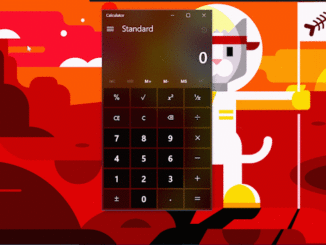
Windows 10 Tip: Travel easier with the built-in currency converter Did you know that with the Windows 10 Fall Creators Update, you have a currency converter built right into the calculator on your Windows 10 PC? It’s true – in fact, it also includes converters for things like time, power and temperature – so you can easily, quickly convert from Fahrenheit to Celsius and back again. Simply open Calculator, click on the menu button on the left, and select what you’d like to convert. Head over here to read more about what’s new in the Fall Creators Update, and have a great week! Source: Windows 10 Tip: Travel easier with the built-in currency converter

This Week on Windows: Celebrate the countdown to 2018 with great deals at Microsoft Store

2017-12-23 KENNETH 0

This Week on Windows: Celebrate the countdown to 2018 with great deals at Microsoft Store We hope you enjoyed this week’s episode of This Week on Windows! Beginning today, find the perfect last-minute gift or treat yourself during the Countdown to 2018 sale with deals of up to 50% off popular PC games, up to 65% on select Xbox Digital Games, up to 60% off popular movies and TV shows, up to 75% on must-have software and apps for Windows 10, great deals on Surface and Xbox One bundles, entertainment and more! You can shop the sale now at Microsoft Store online, on your Windows 10 PC, and on your Xbox. Below we’ve rounded up some of the best Countdown deals, available now at Microsoft Store: Game On There are numerous adventurous options on sale now for PC and Xbox [ more… ]

Windows Template Studio 1.6 released!

2017-12-22 KENNETH 0

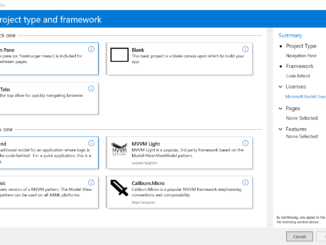
Windows Template Studio 1.6 released! We’re extremely excited to announce the Windows Template Studio 1.6! In this release, we added in app scheme launch, finalized our work for localization, massive improvements in accessibility, and started our work for Visual Basic support. What’s new: Full list of adjustments in the 1.6 release, head over to WTS’s Github. New Pages: Image Gallery New Features: Drag and drop source Web to App Link Template improvements: Minor tweaks for Fluent Discovered a few pages that set background color Improvements to the Wizard: Lots of under the hood bug fixes and code improvements Much more Visual Basic engine work Work for supporting multiple projects in a single solution Work to support Prism How to get the update: There are two paths to update to the newest build. Already installed: Visual Studio should auto update the [ more… ]