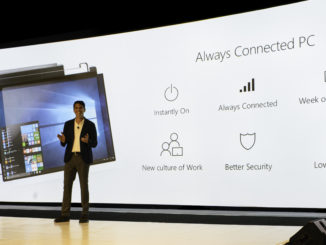
Always Connected PCs enable a new culture of work

2017-12-06 KENNETH 0

Always Connected PCs enable a new culture of work Throughout the history of personal computing, a steady wave of progress has changed how we interact with technology in both our work and personal lives. Microsoft and our partners have led many of these shifts in technology like enabling the original mobile computer – the laptop, navigating with touch, signing in with your face, detaching screens from keyboards, exploring mixed reality, and storing your files in the cloud. We are again at the beginning of another major technology shift: the ability to be connected anytime, anywhere with Always Connected PCs that are instantly on, always connected with incredible battery life. Terry Myerson, Windows and Devices Group Executive Vice President, shares his personal experience with Always Connected PCs at the Qualcomm Snapdragon Summit. New Always Connected PCs unveiled Last year at this [ more… ]

No Image

Announcing Windows Server Insider Preview Build 17046

2017-12-06 KENNETH 0

Announcing Windows Server Insider Preview Build 17046 Hello Windows Insiders! Today we are releasing Windows Server Insider Preview Build 17046 to Windows Server Insiders. This build is the second preview build of the next Semi-Annual Channel release of Windows Server. For more information on the Semi-Annual channel, please see the Windows Server Semi-Annual Channel overview Available Content Server Insiders have the choice of Server Core Edition in ISO or VHDX format. The images are pre-keyed –  no need to enter a key during setup. Symbols are available on the public symbol server – see Update on Microsoft’s Symbol Server blog post and Using the Microsoft Symbol Server. As before, matching Windows Server container images will be available via Docker Hub. For more information about Windows Server containers and Insider builds, click here. This Server Insider pre-release build will expire on [ more… ]

No Image

Introducing the Web Media Extension Package with OGG Vorbis and Theora support for Microsoft Edge

2017-12-06 KENNETH 0

Introducing the Web Media Extension Package with OGG Vorbis and Theora support for Microsoft Edge We’ve heard requests from many of our customers to support additional open-source formats in order to access a broader set of content on the web. To address this, ,we recently added support for the WebM container format and the VP9 and Opus codecs on supported hardware. Today, we’re excited to announce a new mechanism which will allow our customers to add more formats on demand and increase our agility to add new formats in the future: Media Extensions. Alongside this mechanism, we’re releasing the Web Media Extensions package to the Microsoft Store as a free Media Extension for Microsoft Edge. Media Extensions Media on the web has been evolving at a furious rate for the last few years. Adaptive video streaming is now common, providing [ more… ]

Windows 10 Tip: Get started with Continue on PC in the Microsoft Edge mobile app

2017-12-05 KENNETH 0

Windows 10 Tip: Get started with Continue on PC in the Microsoft Edge mobile app You know those websites, searches and articles that you pull up on your iPhone or Android phone? With the Windows 10 Fall Creators Update, you can now forward them to instantly open on your PC, so you can continue what you’re doing – researching that project, shopping for those shoes, finishing that article – with all the benefits of the bigger screen. Here’s how to get started: Head to Settings, click on Phone and Add a phone. You’ll need to sign in with your Microsoft Account, if you haven’t already. Type your phone number, and click send. Once you click send, you’ll receive a text with a link to the app store to download and install an app. Now, for a seamless browsing experience across your [ more… ]

Extend your desktop application with Windows 10 features using the new Visual Studio Application Packaging Project

2017-12-05 KENNETH 0

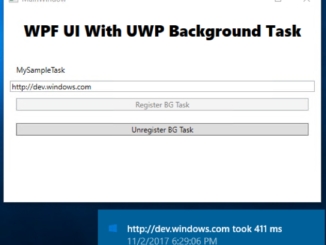
Extend your desktop application with Windows 10 features using the new Visual Studio Application Packaging Project Visual Studio 2017 15.4 introduced the new Windows Application Packaging project to help you modernizing your application by using the new Windows 10 App Deployment Stack. We talked about it in our previous post: Visual Studio 2017 Update 4 makes it easy to modernize your app and make it store ready and today we want to describe the new capabilities in Visual Studio 2017 15.5 that enable new scenarios to the Windows application packaging project to take advantage of more Windows 10 features in your applications. During this article we will cover three examples to highlight the new capabilities added to the packaging project to enable packaging for not only Win32 applications, but also UWP applications and components: Background execution using UWP background tasks. [ more… ]