No Image

ReCore Definitive Edition available today on Windows 10 and Xbox One

2017-08-30 KENNETH 0

ReCore Definitive Edition available today on Windows 10 and Xbox One New players get the entire package as either part of Xbox Game Pass or for $19.99 from the Microsoft Store or your favorite retailer, while owners of the existing ReCore game will receive the “Eye of Obsidian” adventure, the T8-NK Corebot, and all the other enhancements, for free, as an online update. Gamers are the center of everything at Xbox, and this Definitive Edition is the result of listening closely to ReCore players about how we could improve and expand a game they love. On behalf of the entire ReCore team, thank you to all our fans for your enthusiasm and support, and we hope everyone enjoys adventuring through the world of Far Eden. Read more about today’s news over at Xbox Wire! Source: ReCore Definitive Edition available today [ more… ]
Steigenberger Airport Hotel transforms back-of-house operations with Windows 10 IoT and Microsoft Azure IoT

2017-08-29 KENNETH 0

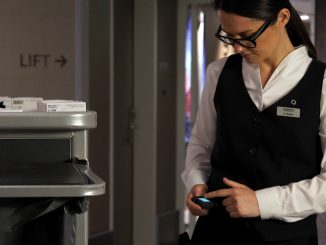
Steigenberger Airport Hotel transforms back-of-house operations with Windows 10 IoT and Microsoft Azure IoT “Room 1484 needs feather pillows……Room 3203 ordered room service and needs another set of flatware. The VIP guests have arrived earlier than expected and their suite is not ready…..” For hotel management, tracing the appropriate staff members to fulfill the guest’s needs in a timely manner can cause logistical challenges and operational inefficiencies that ultimately affect both the guest experience and the overall business. In the hospitality industry, it is all about anticipating and accommodating the needs of guests to ensure they feel relaxed and right at home. Stellar customer service comes down to a team of management and staff members who are equipped with the right tools to deliver timely and hospitable service. In order to improve the communication between the employees, they can now [ more… ]

New WinDbg available in preview!

2017-08-29 KENNETH 0

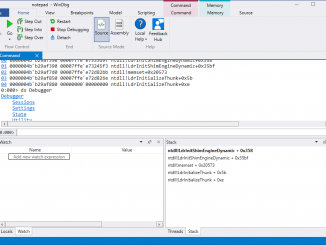
New WinDbg available in preview! We are excited to announce a preview version of a brand new WinDbg. We’ve update WinDbg to have more modern visuals, faster windows, a full-fledged scripting experience, built with the easily extensible debugger data model front and center. I’ll start this by saying that WinDbg Preview is using the same underlying engine as WinDbg today, so all the commands extensions and workflows you’re used to will still work just as they did before. Getting started I know a lot of you are going to want to dive right in and try it out, so here are the things you should know before doing so. Installation – You can install the WinDbg Preview from the Store if you have Windows 10 Anniversary Update or newer at https://www.microsoft.com/en-us/store/p/windbg/9pgjgd53tn86 – WinDbg Preview uses some features from the Windows 10 [ more… ]

Windows 10 Tip: Five ways to personalize notifications on your PC

2017-08-29 KENNETH 0

Windows 10 Tip: Five ways to personalize notifications on your PC To get started, head to Settings > System > Notifications & actions‌ – or, if you’re on a Windows 10 PC, click here to open notifications & actions. First, send notifications, reminders and alarms directly to the action center by right-clicking action center in your taskbar, then selecting Turn on quiet hours. Stop notifications from showing during a presentation by turning on Hide notifications when I’m duplicating my screen. Or, keep them from showing on your lock screen when you’re not logged in by turning off Show notifications on the lock screen. If you’re tired of seeing notifications from a particular app, turn them off next to the app under Get notifications from these senders – or, click on the app for more options. You also always have the option to [ more… ]

IFA 2017: Dell unveils mixed reality headset, new laptops, and 2-in-1s with Windows 10

2017-08-28 KENNETH 0

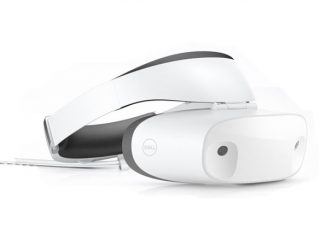
IFA 2017: Dell unveils mixed reality headset, new laptops, and 2-in-1s with Windows 10 Today at IFA, Dell revealed a suite of holiday wish list worthy devices for an immersive and comprehensive computing experience, including the Dell Visor Windows Mixed Reality Headset, Inspiron 7000 2-in-1s and laptops, and performance enhancements to the XPS 13. Let’s take a look at everything Dell announced today: Dell Visor looks to the future Dell announced the new, sleek and comfortable Dell Visor – its first-ever virtual reality headset for Windows Mixed Reality. Engineered with a flip-up visor for convenient transitions, it features well-cushioned head and face padding, thumbwheel band adjustment for personalized comfort, and smart weight balancing that takes pressure off. The Dell Visor features inside-out tracking cameras, with a 360-degree panoramic view so the headset can scan surroundings instead of satellite emitters positioned [ more… ]