No Image

Windows Subsystem for Linux on Windows Server

2017-08-09 KENNETH 0

Windows Subsystem for Linux on Windows Server The Windows Subsystem for Linux (WSL) is available in Windows Insider builds of Windows Server. Now developers and application administrators can run tools they use in Linux environments alongside Cmd and PowerShell. If you want to jump straight in, the installation guide is available here. Why include WSL on Windows Server? We want Windows, including Windows Server, to be a great place for developers. We know developers, system administrators, people managing services and people building services all occasionally need tools available on Linux.  Many more would like to run Linux tools as part of their workflow as a matter of convenience. Previously, there were a few options: Run something like Cygwin and rely on Win32 ports of common GNU tools. Cygwin is a great toolset but it runs into issues when using tools [ more… ]

Announcing exciting changes coming to MINECON!

2017-08-08 KENNETH 0

Announcing exciting changes coming to MINECON! MINECON is a worldwide celebration of the community, the game, and the joy that Minecraft continues to bring people around the world. In the past, it’s been a single massive convention – but today, the Minecraft team announced how they’re shaking up MINECON this year with two new elements! Here’s what you can expect: MINECON Earth MINECON Earth is a global interactive livestream event broadcast from two continents on November 18 and viewed by players around the world from their living rooms or at local viewing parties, retailers, theatres and community events. The 90-minute livestream will take place on November 18 at 12 p.m. EST / 5 p.m. GMT on mixer.com/minecraft. If you’re new to Mixer, head over here for tips on getting started viewing and streaming! Official Minecraft Community Events We’ve teamed up [ more… ]

Windows 10 Tip: See your 3D creations take life in Remix 3D

2017-08-08 KENNETH 0

Windows 10 Tip: See your 3D creations take life in Remix 3D Last week, we announced new capabilities in Remix 3D – Parts and Remixes – an all-new way to experience the relationship between 3D content and see how it can transform and take new life when shared with a creative community. Here’s how to get started with Parts and Remixes: On any model page on Remix3D.com, you’ll see two new tabs: Parts and Remixes. Simply click on Parts and scroll down to see the individual parts that make up the model. A dog with a party hat and party favor may have three parts: the dog model, the hat model and the party favor model. But what if someone remixes that dog and adds a birthday cake? That would appear under Remixes. The Remixes tab is a way to [ more… ]

No Image

Your feedback is helping shape Windows privacy

2017-08-07 KENNETH 0

Your feedback is helping shape Windows privacy Those enhancements included improving in-product information, updates to the Microsoft privacy statement, and publishing more information about the diagnostic data we collect. Since then, feedback we’ve received about the Creators Update has been positive. This is great news to us because what we hear from you directly impacts the improvements we make. For example, 71 percent of customers are selecting Full diagnostics data to help us fix things and improve Microsoft products.  While your direct feedback like, “The privacy settings added to clean installs are a boon for the privacy minded,” and “Very well done,” is great to hear, we know there is still work to do to meet and anticipate the expectations across our diverse customer base and provide you with the best privacy experience possible. We’ve also seen a positive reception [ more… ]

Creating Materials and Lights in the Visual Layer

2017-08-05 KENNETH 0

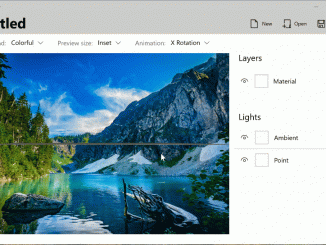
Creating Materials and Lights in the Visual Layer In today’s post, we’re going wrap up this series by combining everything we’ve learned so far and take you through the steps in creating a custom material. We also have an amazing new tool to show you that empowers anyone to design a custom material. To see how you can use these custom materials in your XAML app, be sure to check out the last two posts in this series; XAML and Visual Layer Interop, part one and part two. The Fluent Design Language is an evolving concept, rather than a one-time design language release like MDL and MDL2. It was designed to expand and grow as Microsoft and the community of creators (developers and designers), adds to what it could be. We’ll show you that anything is possible, as designers, developers and [ more… ]