This Week on Windows: Remix 3D, Minecraft and more

2017-08-04 KENNETH 0

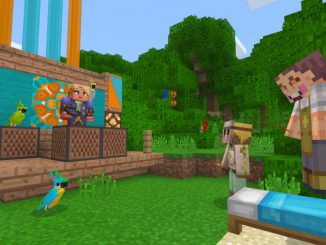
This Week on Windows: Remix 3D, Minecraft and more We hope you enjoyed today’s episode of This Week on Windows! Head over here to catch up on our latest programs and deals for back to school, read our Windows 10 Tip on how to use Surface Dial with Paint 3D – or, keep reading for what’s new in the Windows Store. In case you missed it: <!– !function(a,b){"use strict";function c(){if(!e){e=!0;var a,c,d,f,g=-1!==navigator.appVersion.indexOf("MSIE 10"),h=!!navigator.userAgent.match(/Trident.*rv:11./),i=b.querySelectorAll("iframe.wp-embedded-content");for(c=0;c<i.length;c++){if(d=i,!d.getAttribute("data-secret"))f=Math.random().toString(36).substr(2,10),d.src+="#?secret="+f,d.setAttribute("data-secret",f);if(g||h)a=d.cloneNode(!0),a.removeAttribute("security"),d.parentNode.replaceChild(a,d)}}}var d=!1,e=!1;if(b.querySelector)if(a.addEventListener)d=!0;if(a.wp=a.wp||{},!a.wp.receiveEmbedMessage)if(a.wp.receiveEmbedMessage=function(c){var d=c.data;if(d.secret||d.message||d.value)if(!/[^a-zA-Z0-9]/.test(d.secret)){var e,f,g,h,i,j=b.querySelectorAll('iframe[data-secret="'+d.secret+'"]'),k=b.querySelectorAll('blockquote[data-secret="'+d.secret+'"]');for(e=0;e<k.length;e++)k[e].style.display="none";for(e=0;e1e3)g=1e3;else if(~~g<!]]> <!– !function(a,b){"use strict";function c(){if(!e){e=!0;var a,c,d,f,g=-1!==navigator.appVersion.indexOf("MSIE 10"),h=!!navigator.userAgent.match(/Trident.*rv:11./),i=b.querySelectorAll("iframe.wp-embedded-content");for(c=0;c<i.length;c++){if(d=i,!d.getAttribute("data-secret"))f=Math.random().toString(36).substr(2,10),d.src+="#?secret="+f,d.setAttribute("data-secret",f);if(g||h)a=d.cloneNode(!0),a.removeAttribute("security"),d.parentNode.replaceChild(a,d)}}}var d=!1,e=!1;if(b.querySelector)if(a.addEventListener)d=!0;if(a.wp=a.wp||{},!a.wp.receiveEmbedMessage)if(a.wp.receiveEmbedMessage=function(c){var d=c.data;if(d.secret||d.message||d.value)if(!/[^a-zA-Z0-9]/.test(d.secret)){var e,f,g,h,i,j=b.querySelectorAll('iframe[data-secret="'+d.secret+'"]'),k=b.querySelectorAll('blockquote[data-secret="'+d.secret+'"]');for(e=0;e<k.length;e++)k[e].style.display="none";for(e=0;e1e3)g=1e3;else if(~~g<!]]> See your 3D creations take life with the newest update to Remix 3D Here’s what’s new in the Windows Store this week: The Better Together Beta for Minecraft is here! If you’re on a Windows 10 PC, your world expands to being able to play with friends across devices. The Better Together Update we announced [ more… ]
See your 3D creations take life with the newest update to Remix 3D

2017-08-04 KENNETH 0

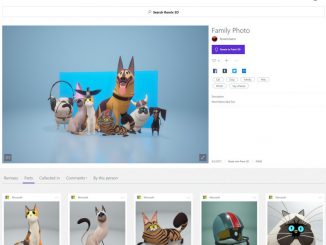
See your 3D creations take life with the newest update to Remix 3D Last October, we announced our vision of bringing 3D to everyone, making it easy to create, remix and share in 3D. With the release of the Windows 10 Creators Update, we made this vision a reality with the release of Paint 3D and the Remix3D.com community. Today, we’re excited to announce new capabilities in Remix 3D – Parts and Remixes – an all new way to experience the relationship between 3D content and see how it can transform and take new life when shared with a creative community. With the explosion of content surrounding us, the original attribution of a creation tends to get lost. The idea of remixing content into something new, and then seeing the “parts” of that new creation (with attribution to the original [ more… ]

Announcing Windows 10 Insider Preview Build 16257 for PC & Build 15237 for Mobile

2017-08-03 KENNETH 0

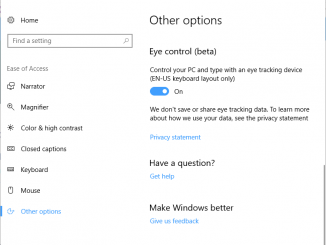
Announcing Windows 10 Insider Preview Build 16257 for PC & Build 15237 for Mobile Hello Windows Insiders! Today we are excited to release Windows 10 Insider Preview Build 16257 for PC to Windows Insiders in the Fast ring and also in Skip Ahead! We are also releasing Windows 10 Mobile Insider Preview Build 15237 to Insiders in the Fast ring. We won’t have a new Windows Server Insider Preview build for Windows Insiders this week. What’s New in Build 16257 For PC Eye Control (beta) Yesterday, we announced Eye Control, which makes Windows 10 more accessible by empowering people with disabilities to operate an on-screen mouse, keyboard, and text-to-speech experience using only their eyes. The experience requires a compatible eye tracker, like the Tobii Eye Tracker 4C, which unlocks access to the Windows operating system to be able to do [ more… ]

No Image

HP announces new point-of-sale system powered by Windows 10

2017-08-03 KENNETH 0

HP announces new point-of-sale system powered by Windows 10 The ElitePOS modernizes the retail POS device with an innovative, sleek modular design that supports use cases beyond checkout to help the retail and hospitality industries deliver a consistent and compelling experience. With options such as a receipt printer that integrates into the column stand and a magnetic stripe reader that can be built into the display, retailers can complement their store environment with a clean counter space. The ElitePOS is built to withstand extensive usage, with an extended lifecycle that retailers depend on. The system is designed to pass various military standards – or MIL-STD – tests, can handle spills by channeling liquid away from the device components, and provide efficient cooling with side venting for improved reliability. Additionally, line-busting will be a breeze with Windows 10 or Windows IoT, [ more… ]

Configure your app to start at log-in

2017-08-02 KENNETH 0

Configure your app to start at log-in For a long time, desktop PC users have been able to configure Win32 apps to start at startup or user log-in. This has also been possible for Desktop Bridge apps since the Windows 10 Anniversary Update (v10.0.14393.0). We’ve now extended this feature to allow regular Universal Windows Apps to take part in this also. This is available in Insider builds from Build 16226 onwards, along with the corresponding SDK. In this post, we’ll look at the code changes you need to make in your manifest and in your App class to handle the startup scenario, and how your app can work with the user to respect their choices. Here’s a sample app, called TestStartup – the app offers a button to request enabling the startup behavior, and reports current status. Typically, you’d put [ more… ]