Get ready for back to school with Microsoft’s latest programs and deals

2017-08-01 KENNETH 0

Get ready for back to school with Microsoft’s latest programs and deals Well gang, it’s officially August, and our wonderful teachers are setting up their classrooms, and parents and students are starting to fill backpacks and dorm rooms with supplies. To help prepare for the school year ahead, today, we’re sharing new deals and programs from Microsoft and our partners to get you the best offers on the latest hardware – whether you want a new Surface Laptop, a powerful new Surface Pro, or the latest PC from Dell, HP, or Samsung – we’re here to help. Back in May, we shared our vision for how technology can inspire creativity in the classroom with the announcement of a set of products and tools inspired by teachers and students, including: a new Windows experience called Windows 10 S – streamlined for [ more… ]


Owning Surface just got easier with the new Surface Plus Program

2017-08-01 KENNETH 0

Owning Surface just got easier with the new Surface Plus Program Surface is designed to help people better create, collaborate, learn, and get things done. Beginning today at 9:00 a.m. PT, we’re excited to announce the availability of Surface Plus and Surface Plus for Business; flexible financing options designed to help more people and businesses take advantage of the power of Surface. Available exclusively in the U.S. at Microsoft Stores and online at Microsoft.com, here’s all that Surface Plus and Surface Plus for Business can do for you: With school starting soon, there’s never been a better time for students to find the best Surface that’s right for them. Whether it’s a Surface Laptop, Surface Pro, Surface Book or Surface Studio – Surface Plus provides a simple, no-hassle plan to help students unlock their productivity and be more creative with [ more… ]

The Better Together Beta for Minecraft is here!

2017-08-01 KENNETH 0

The Better Together Beta for Minecraft is here! The Better Together Update we announced at E3 2017 is designed to unify the console, mobile and Windows 10 PC versions of the game under one single Minecraft edition, which will include infinite worlds, the community Marketplace and community servers (which are coming to the beta later on!). It’ll introduce cross-platform support, allowing console, Windows 10 PC and mobile Minecrafters to play together for the first time! The Better Together Update also brings the biggest collection of new features ever to players on Bedrock Engine platforms (Windows 10, mobile), including the very long awaited and much in demand stained glass, fireworks, PARROTS THAT DANCE, customizable banners, armor stands, jukebox and music discs, recipe book and ravines. And for Windows 10 PC versions, integration with Paint 3D and Remix3D.com, making it easy to [ more… ]

Windows 10 Tip: How to use Surface Dial with Paint 3D

2017-08-01 KENNETH 0

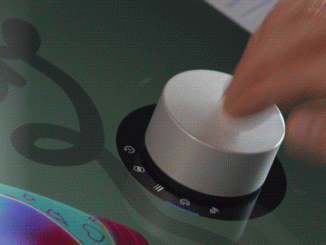
Windows 10 Tip: How to use Surface Dial with Paint 3D Whether you’re an artist, student or mobile professional, Surface Dial optimizes your digital workflow by bringing your most-used shortcuts and tools to your screen with simple presses and turns of the Dial. You can also use Dial to do things like play music or skip tracks in Groove Music, scroll through web pages in Microsoft Edge, scroll through documents in Microsoft Word off-screen, and so much more. Today, we’re going to show you a couple ways you can get started using your Surface Dial with the Paint 3D app in Windows 10.* If you have the new Surface Pro or the Surface Studio, you can use the Dial with Paint 3D directly on your screen.** Set-up Make sure you have the Surface Dial connected via Bluetooth to your device. You should [ more… ]

How to Restart your App Programmatically

2017-07-29 KENNETH 0

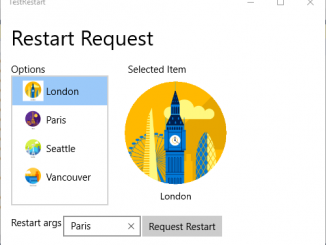
How to Restart your App Programmatically For some apps (especially games) it is not uncommon for the app to get into a state where it needs to restart – perhaps after a license update, after installing downloadable content, its caches have become corrupt or unwieldy, or for any other reason where the app needs to refresh state from scratch. In earlier releases, your only option would have been to prompt the user to close and relaunch, or to call CoreApplication.Exit – and both options provide sub-optimal user experience. We have therefore introduced a new API that enables an app to request immediate termination and restart, and to pass arbitrary arguments into the fresh instance. In this post, we’ll look at how this works and how you can build it into your app. This is available now in Insider builds from [ more… ]