Bay Equity sets the bar for a new kind of mortgage lender with Surface devices

2017-07-07 KENNETH 0

Bay Equity sets the bar for a new kind of mortgage lender with Surface devices When brothers Brett, Casey and Jon McGovern decided to set up a full-service retail mortgage lending company in California’s San Francisco Bay Area in 2007, they couldn’t have picked a more inopportune time. Just a month after the McGovern brothers capitalized their business, the impending 2007-2008 global financial crisis hit full swing and was swiftly considered as the worst financial crash since the Great Depression of the 1930s. During this time of crisis, Bay Equity embraced digital transformation and invested in Surface Pro devices which helped them attract and retain great talent and enabled them to provide exceptional service to their clients. Today, Bay Equity’s employees are completely powered by Surface Pro. The company has rolled out more than 1,200 of the devices, alongside services [ more… ]

Command-Line Activation of Universal Windows Apps

2017-07-06 KENNETH 0

Command-Line Activation of Universal Windows Apps As we continue to close the gap between Win32 and Universal Windows Apps, one of the features we’ve recently introduced is the ability to activate a UWA from a command line and pass the app arbitrary command-line arguments. This is available to Insiders from build 16226. This feature builds on the App Execution Alias extension already available for Desktop Bridge apps. To use this feature in a UWA, there are two key additions to your app: Add an appExecutionAlias extension to your app manifest. Override OnActivated and handle the incoming arguments. For the manifest entry, you first need to declare the XML namespace for the AppExecutionAlias element: <Package xmlns="http://schemas.microsoft.com/appx/manifest/foundation/windows10" xmlns:mp="http://schemas.microsoft.com/appx/2014/phone/manifest" xmlns:uap="http://schemas.microsoft.com/appx/manifest/uap/windows10" xmlns:uap5="http://schemas.microsoft.com/appx/manifest/uap/windows10/5" IgnorableNamespaces="uap mp uap5"> The AppExecutionAlias is declared as an Extension within your Application. This is quite simple and almost the same as [ more… ]

Announcing UWP Community Toolkit 1.5

2017-07-06 KENNETH 0

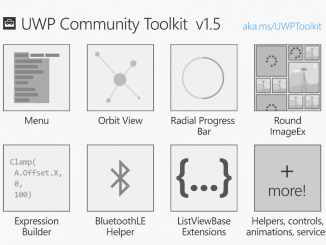
Announcing UWP Community Toolkit 1.5 Today marks the sixth release of the UWP Community Toolkit – all packages are updated to version 1.5. Thanks to the UWP developer community, the UWP Community Toolkit has seen great improvements and stability to the existing controls and services. The community partnership has led to several new additions to this release. To highlight a few of the new additions, the UWP Community Toolkit now includes: Menu: A classic control used by traditional desktop applications, adapted for the Universal Windows Platform. As requested by the community on UserVoice, the Menu allows the developer to provide a hierarchical list of menus and submenus that support any input modality and can adapt to the screen size to provide a natural and fluid interaction. OrbitView: A new ItemsControl that arranges elements around a center element and provides flexibility [ more… ]

Windows 10 Tip: Keep your apps organized with virtual desktops

2017-07-04 KENNETH 0

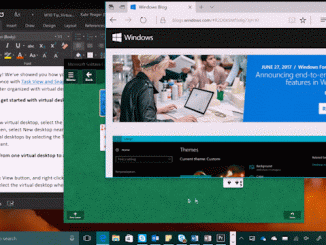
Windows 10 Tip: Keep your apps organized with virtual desktops Happy Monday! We’ve showed you how you can easily view and manage all the apps and programs you have open at once with Task View and Snap – today, we’re going to show you how you can keep your open apps better organized with virtual desktops in Windows 10. Here’s how to get started with virtual desktops: To create a new virtual desktop, select the Task View button on the Windows Taskbar (or hit Windows key + Tab) – then, select New desktop near the lower-right corner of the screen. You can switch between virtual desktops by selecting the Task View button, and then the thumbnail for the virtual desktop you want. Move an app from one virtual desktop to another: Select the Task View button, and right-click on the [ more… ]

Ensuring Windows 10 devices are up to date has never been more important

2017-07-01 KENNETH 0

Ensuring Windows 10 devices are up to date has never been more important The most secure Windows device today is an updated one: running both the most recent feature update – the Windows 10 Creators Update – and the most recent monthly quality update. In each Windows feature update we build the latest security technology deep into the operating system, providing defense-in-depth features that prevent entire classes of malware from impacting your device.  In each monthly quality update, we add another layer of security, one that tracks emerging and changing trends in malware to make up-to-date systems safer in the face of changing and evolving threats. Taking extra steps to keep systems updated and secure Given the Windows 10 Creators Update provides the latest security protections to help keep you safe, we want to help update your device as soon as possible. [ more… ]