Introducing “Mixer”

2017-05-25 KENNETH 0

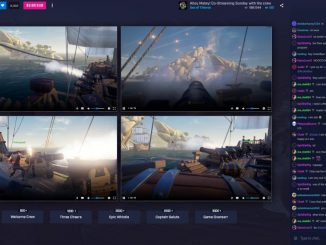
Introducing “Mixer” Today, we’re excited to announce a big evolution of the interactive live-streaming platform Beam, and reveal a new name for the service: Mixer. We’re also launching several exciting new features that will unlock a whole new world of possibilities for social streaming, as well as a big update for our mobile app. The name Mixer represents what we love most about the service: how it brings people together through the core experience fans know and love: the ability to not just watch streams, but to also interact with streamers and play together in near real-time. In other words, Mixer is livestreaming that’s actually LIVE, compared to the traditional 10 – 20 second latency on other platforms. What’s more, viewers can actively participate in what’s happening on screen instead of just watching from the sidelines. With Mixer, you can [ more… ]


No Image

The Windows 10 Creators Update roll out on track and expanding to more devices

2017-05-25 KENNETH 0

The Windows 10 Creators Update roll out on track and expanding to more devices We are now six weeks into rolling out the Windows 10 Creators Update and things are going well! As discussed in previous blog posts, we continue to roll out the Windows 10 Creators Update in stages: We ensure things look good with the current population before we offer the update to even more devices. Based on the feedback we’ve heard and improvements we’ve made, we’ve been steadily expanding the rollout, making the Windows 10 Creators Update available to tens of millions more devices, including eligible Windows Phones. If you want to provide feedback about the Creators Update, use the Feedback Hub application One key input we consider before offering the Creators Update to even more devices is your feedback. If you are a customer who has provided [ more… ]

Microsoft Store shares five things to add to your travel checklist

2017-05-25 KENNETH 0

Microsoft Store shares five things to add to your travel checklist Jonathan Aviles and Jevon Grigg are product service advisors at the flagship Microsoft Store in New York If you are looking ahead to your summer plans, don’t forget to add technology to your travel checklist. Having the best technology and access to safe networks while traveling will ensure smooth sailing and more time for the fun stuff. Here are five tips from your Microsoft Store to make sure you are staying cyber-safe and traveling right this summer season. Connect to a secure network. Leaving home doesn’t have to mean leaving behind your reliable network. Be sure to activate the personal hotspot option on your mobile device. This allows you to bring along a mobile hotspot to help ensure you are always using a secure internet connection while on the [ more… ]

Huawei unveils a new MateBook series powered by Windows 10

2017-05-24 KENNETH 0

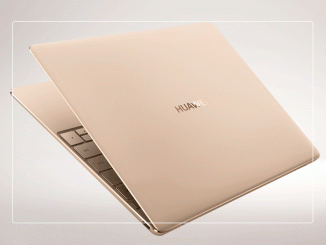
Huawei unveils a new MateBook series powered by Windows 10 HUAWEI MateBook X with Windows 10 Powered by Windows 10, these devices come built-in with Cortana* – your digital personal assistant who can help you complete tasks, set reminders, and more – as well as comprehensive protection with Windows Defender. One also has a touchscreen that allows you to do everything from marking up webpages in Microsoft Edge, to drawing in the Photos app or adding notes to your map with Windows Ink. Let’s take a closer look at these devices: The HUAWEI MateBook X with Windows 10  HUAWEI MateBook X with Windows 10 in a range of colors The HUAWEI MateBook X is an efficient, fanless device with a stylish design, powered by Windows 10. Though compact, the HUAWEI MateBook X includes a choice of powerful 7th Generation Intel® Core™ i7 or i5 processors and a [ more… ]

See What’s New with Windows Ink in the Windows 10 Creators Update

2017-05-23 KENNETH 0

See What’s New with Windows Ink in the Windows 10 Creators Update Windows Ink is about transforming the way we think about computers, from a tool that is great at getting things done, to one that harnesses your personality and your emotions into the things you create. It’s about bringing back the human aspects that a mouse and keyboard (and even touch) cannot express fully, it’s about making personal computers more personal, and an extension of yourself, not just a tool. We want you to feel empowered to create from the moment you pick up the pen, and have the confidence that Windows understands you, knows what you want to do – by understanding your handwriting, your words and your expression. This is the journey we’re on. With the Creators Update, Windows Ink is now better than ever! When used [ more… ]