

CHOICE Humanitarian partners with Microsoft Edge to launch Accent digital literacy tool

2017-04-18 KENNETH 0

CHOICE Humanitarian partners with Microsoft Edge to launch Accent digital literacy tool CHOICE Humanitarian is a non-profit organization with a vision to free the world from the ravages of extreme poverty, where all people are treated with dignity and valued for who they are and the unique contribution they bring. They have been working to eliminate extreme poverty, defined by the World Bank as living on an average of $1.90 USD a day, for 35 years. Today, we are excited to share a new web-based learning tool we have created with the Microsoft Edge team, called Accent. “The CHOICE partnership offered the Microsoft Edge team a remarkable opportunity to take our browser technology and create an education solution to meet the unique literacy needs of communities worldwide. Working with CHOICE, we utilized the native support for touch and inking in [ more… ]

No Image

Now available: Windows Developer training course on Desktop Bridge

2017-04-18 KENNETH 0

Now available: Windows Developer training course on Desktop Bridge We are happy to announce that the Microsoft Virtual Academy training course, Developer’s Guide to the Desktop Bridge, is now available on demand. This video course, delivered by the Desktop Bridge Program Management team, aims to help developers understand the concepts and benefits of the Desktop Bridge tooling in the Windows 10 Universal Windows Platform. Watch the video and find the relevant sample code here to start bringing your desktop apps to the Windows Store and to take advantage of new Windows 10 features of the Universal Windows Platform in your WPF, WinForms, MFC or other type of Win32 apps. Do you want to distribute your desktop application in the Windows Store? We cover that in the course. Do you want to take advantage of modern Windows 10 app-to-app features in your existing desktop application? We [ more… ]

Windows 10 Tip: Five ways to get started with Paint 3D

2017-04-18 KENNETH 0

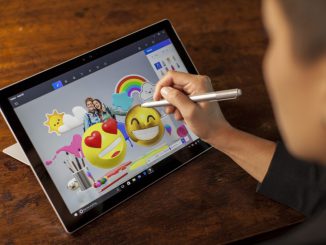
Windows 10 Tip: Five ways to get started with Paint 3D In the Windows 10 Creators Update, you have a new, free, built-in app called Paint 3D that allows you to unleash your creativity. Anyone can experience, create, and share in a new dimension. Make 3D masterpieces or 2D scenes, all with a stroke of your digital pen.  You can also access an online 3D community, Remix 3D, to pull and remix models from within the Paint 3D app! Today, we’re going to show you a couple ways you can get started with Paint 3D: Easily create a scene in 3D With pre-made 3D models and objects, it’s easy to get started right away and begin personalizing. Click on 3D objects in the top task bar Select one of the pre-made 3D models from the tool bar on the right, [ more… ]

No Image

Monetizing your app: Use interstitial banner as fallback for interstitial video

2017-04-18 KENNETH 0

Monetizing your app: Use interstitial banner as fallback for interstitial video Do you show ads while loading your app or between levels of your game (also known as interstitial ads)? Microsoft Advertising now offers interstitial banners as an option for ads in your app. Interstitial ads have a higher monetization value, but have a lower fill rate in many markets. You can choose to use an interstitial banner when a video ad is not available. Another option is to request both a video ad and an interstitial banner ad and show whichever ad is ready at the time of loading the app. The code below is an example of how you can show either a video ad or a banner ad – whichever is ready first for you to load your app. Add this to the cs file of the [ more… ]

No Image

A week with Microsoft Edge: Get started with the browser designed for Windows 10

2017-04-18 KENNETH 0

A week with Microsoft Edge: Get started with the browser designed for Windows 10 Today, we’re kicking off a series of videos and blog posts to introduce you to the best of Microsoft Edge – the faster, safer browser designed for Windows 10. We’ll be publishing a new video and blog post every day this week to share tips and tricks for making the most out of your browsing experience with Microsoft Edge. First up, we’re introducing you to Microsoft Edge and sharing tips on how to get started. Since the release of Microsoft Edge in 2015, Microsoft Edge has been steadily improving to offer competitive performance, security, and expanded functionality. Just last week, we began to roll out the latest version of Windows 10: the Windows 10 Creators Update. With the Creators Update, we’ve added new features that help [ more… ]