All-new Minecraft Marketplace coming to Pocket and Windows 10 editions

2017-04-11 KENNETH 0

All-new Minecraft Marketplace coming to Pocket and Windows 10 editions Minecraft has partnered with heroic ‘crafters well-known to the community to build up a launch catalogue of amazing adventure maps, texture packs, minigames and more. Noxcrew, BlockWorks, Qwertyuiop The Pie, Blockception, Sphax, Eneija, Imagiverse, Polymaps and Razzleberry Fox are the folk on board at launch, but we’re opening up submissions to anyone with a registered business. For more info on how to apply, go here. The idea is to give Minecraft creators another way to make a living from the game, allowing them to support themselves in the creation of ever-greater projects, while giving Pocket and Windows 10 players access to a growing catalogue of fun stuff – curated and supplied by the Minecraft team, safely and simply. And, of course, you can still manually download free community creations you’ve found out there on the internet, too. Read more at the [ more… ]
Monetizing your app: Advertisement placement

2017-04-11 KENNETH 0

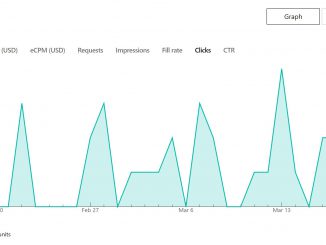
Monetizing your app: Advertisement placement App developers are free to place their ads in any part of their app; this allows developers for some level of flexibility to blend the ad experience into their app for best results. We have seen that developers who take the time to do this get the best performance from their ads and are therefore able to earn more advertising revenue. There are essentially two major factors to consider when placing an ad: 1. Optimize for Viewability – Over the last few years, advertisers are moving toward tracking the viewability of the advertisements, and for that reason are only paying for ads when they are viewable. Also, advertisers are willing to pay more for viewable impressions. The Microsoft Ads SDK sends information back to the advertisers about whether an ad was viewable or not. It is [ more… ]

Windows 10 Tip: See what’s new in Windows with the Microsoft Tips app

2017-04-11 KENNETH 0

Windows 10 Tip: See what’s new in Windows with the Microsoft Tips app It’s called Microsoft Tips — just type “Tips” in the search box on the taskbar, find it in the Start menu or open it from the Windows Store. It’s even available offline! Check out tips in the app to enhance your browsing experience with Microsoft Edge, learn about Cortana* and discover other ways you can personalize, customize and awesome-ize Windows. Here’s how to get started with the Tips app: Open the Tips app and you’ll land on the Welcome page — your home for quick tips, videos and other “Cool! I didn’t know that” info about the latest updates to Windows 10. Dive right into a settings page to adjust the look and feel of Windows, or jump to a topic within the Tips app to learn more [ more… ]

Announcing new creativity apps with unique capabilities for Surface Dial

2017-04-11 KENNETH 0

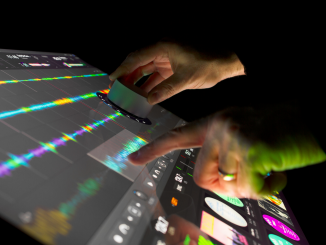
Announcing new creativity apps with unique capabilities for Surface Dial Today, Surface is thrilled to announce that partner applications like CorelDRAW, Autodesk’s SketchBook, Silicon Bender’s Sketchable, and Algoriddim’s djay Pro are adding unique capabilities to their software that enable Surface Dial offering customers a new spin on creativity. In addition to the great apps available today for Surface Dial, Adobe has produced a technology demonstration of Surface Dial working within their popular Adobe Premiere Pro CC software. Fully leveraging Surface Studio with its beautiful PixelSense display, Algoriddim’s djay Pro also includes unique location-aware Surface Dial integration. Empowering the creator in all of us is the purpose behind our products and initiatives at Microsoft, and supports our mission to empower every person and every organization on the planet to achieve more. Last week we announced all of the goodness coming in [ more… ]

Managing Windows IoT Core devices with Azure IoT Hub

2017-04-08 KENNETH 0

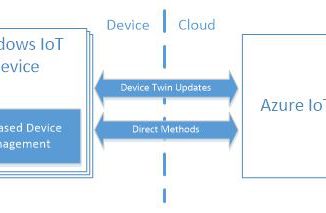
Managing Windows IoT Core devices with Azure IoT Hub Device management in Windows IoT Core In Fall 2016, Microsoft announced Azure IoT Hub device management, providing the features and extensibility model, including an SDK for a wide range of platforms, to build robust device management solutions. With the recent release of the Windows 10 Creators Update, we are excited to announce the availability of the Windows IoT Azure DM Client Library. The open source library allows developers to easily add device management capabilities to their Azure connected Windows IoT Core device. Enterprise device management for Windows has been available for many years. The Windows IoT Azure DM Client Library makes these capabilities, such as device restart, certificate and application management, as well as many others, available via Azure IoT Hub device management. A quick introduction IoT devices, in comparison to desktops, [ more… ]