High-DPI Scaling Improvements for Desktop Applications in the Windows 10 Creators Update

2017-04-05 KENNETH 0

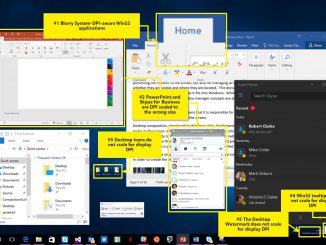
High-DPI Scaling Improvements for Desktop Applications in the Windows 10 Creators Update In the previous blog post about High-dots-per-inch (DPI) scaling improvements, we talk about how desktop applications can be blurry or sized incorrectly when run on high-DPI displays. This is especially noticeable when docking and undocking or when using remoting technologies such as Remote Desktop Protocol (RDP). In the Windows 10 Anniversary Update we chipped away at this problem by introducing mixed-mode DPI scaling and other high-DPI-related APIs. These APIs made it less expensive for developers to update desktop applications to handle dynamic DPI situations (situations where desktop applications are expected to detect and respond to DPI changes at runtime). We’re still working on improving the high-DPI story for you and in this article we’ll go over some of the improvements coming in the Windows 10 Creators Update. Before [ more… ]
Monetizing your app: Use Interactive Advertising Bureau ad sizes

2017-04-04 KENNETH 0

Monetizing your app: Use Interactive Advertising Bureau ad sizes Are you looking for ways to better monetize your app using ads? App developers can boost their ad revenue using simple optimizations while building and managing their app. In a series of blogs, including this one, we will offer tips that will help you better monetize your app. Tip #1: Use Interactive Advertising Bureau (IAB) sizes for your ad. As an app developer, you can choose the size of your ad based on the look and feel of the app itself. You should have an ad experience that blends well with your app – ads that do not fit in with the rest of the app experience perform poorly and yield low revenue for the developer. Also, you can choose to have multiple ads on a single page. This, however, has [ more… ]

Announcing UWP Community Toolkit 1.4

2017-04-04 KENNETH 0

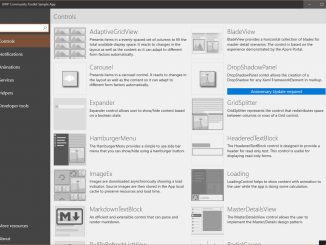
Announcing UWP Community Toolkit 1.4 The UWP Community Toolkit is on its fourth release today. The previous version was packed with new controls, so we decided to focus on stabilizations and improvements on existing controls and services in version 1.4. Among the improvements: better accessibility for all controls according to our contribution rules. Now every control can be used with keyboard, mouse and touch inputs. We also ensured that the controls provide enough information for Narrator to make them compatible with screen readers. We also introduced a new project (and a new NuGet package) called Microsoft.Toolkit.Uwp.DeveloperTools. The goal of this project is to provide support tools for developers. For this first version of the project we started with two controls: FocusTracker: Can be used in your application to display information about the current focused control (name, type, etc.). This is [ more… ]

Windows 10 Tip: Five ways to get started with the Taskbar

2017-04-04 KENNETH 0

Windows 10 Tip: Five ways to get started with the Taskbar You can personalize it, manage your calendar, pin your favorite apps to it, move it to where you want to display on your screen and more. You can even manage your calendar appointments right from the Taskbar. Today, we’re showing you five ways to get started with the Taskbar: Change the transparency and color for your Taskbar, Start menu, Action Center and more Launch the Settings app and go to Personalization > Colors. Scroll down to the bottom of the page to the “More options” section. If you want to change the transparency, flip the toggle for “Transparency effects.” If you want to change the color, locate the “Show accent color on the following surfaces” setting in the same section, and check “Start, Taskbar, and action center.” You can [ more… ]

Desktop Bridge: Creators Update

2017-04-01 KENNETH 0

Desktop Bridge: Creators Update Overview The Creators Update is packed with new features for app developers and end users that are designed to delight developers who can offer their end users a rich experience. User transition & data migration Users are encouraged to download the store version of their desktop apps. If the user already has the previous desktop version of the app, the transition experience is as seamless as possible. As a result, the Creators Update will provides a smooth transition along with some best practices for app developers to follow. For a detailed blog post on this topic with code samples, please see this blog post. User transition: taskbar pins & start tiles Many users typically pin their favorite or most used apps to the taskbar pin or the start menu so they can access apps quickly. With [ more… ]