
Calling Windows 10 APIs From a Desktop Application

2017-01-26 KENNETH 0

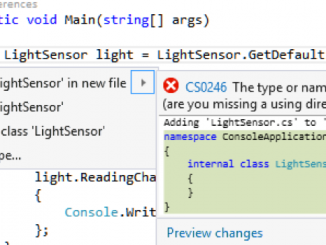
Calling Windows 10 APIs From a Desktop Application In today’s post, we’re covering how PC software can leverage the rich functionality of Windows 10. This is valuable background for the upcoming post “Adding UWP Features to Your Existing PC Software with the Desktop Bridge,” which will go into even more detail on the topic in the coming days. So here’s a question that generates a lot of confusion. Can PC software written in WPF, WinForms or MFC access the Windows 10 APIs used by the Universal Windows Platform (UWP)? The answer is yes. There are some exceptions to this rule (and we’ll go over how to find them), but in general you can access the Windows 10 APIs. Or put a different way, there are no secret APIs being kept away from Windows developers. How to access the Windows 10 [ more… ]

New Windows 10 Creators Update gaming features arrive this week for Windows Insiders

2017-01-26 KENNETH 0

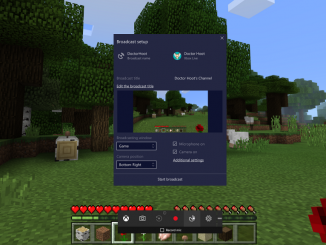
New Windows 10 Creators Update gaming features arrive this week for Windows Insiders It’s a big update week for PC and Xbox One gamers who are part of the Xbox and Windows Insider Programs. Starting tomorrow, these gamers will see and experience new features from the Windows 10 Creators Update on PC, with additional features expected to hit console in the coming days. Earlier this week, select Insider members saw new features such as the updated Home, Guide and refreshed multitasking for Xbox One. Tomorrow’s update includes some big new additions for PC gamers, with a few more features releasing for Xbox One owners soon. These new features are releasing to a small subset of Insiders starting now, with more Xbox and Windows Insider Program members receiving these in the coming weeks. Here’s a look at what’s new for select [ more… ]

River Dell Regional School District gives students connected classrooms and digital ink

2017-01-26 KENNETH 0

River Dell Regional School District gives students connected classrooms and digital ink Students and teachers decide what technology the district should adopt. Their choice: Windows 10 and Microsoft Education. River Dell Regional School District in New Jersey has a middle school and high school comprised of more than 1,700 students and 131 educators. When it came time to renew their computer equipment the district they asked the teachers and students what they wanted. OneNote’s collaboration space encourages students to work together on the same document at the same time, whether it’s a shared writing project or gathering data for a science lab report. River Dell Regional School District has equipped every student and teacher with a Windows 10 touch- and pen-enabled laptop with Microsoft Office 365 and OneNote. This combination enables teachers to work more efficiently, facilitates personalized learning opportunities [ more… ]

No Image

Trimble & University of Cambridge build the future of construction with HoloLens

2017-01-25 KENNETH 0

Trimble & University of Cambridge build the future of construction with HoloLens In November, we announced the release of Trimble’s SketchUp Viewer to the Windows Store, the first broadly available commercial Microsoft HoloLens application.  Trimble is using HoloLens and SketchUp Viewer to bring mixed reality to the construction industry, enabling Architecture, Engineering Construction and Operations (AECO) professionals to extend the value and investment that they have already made in 3D modeling. SketchUp Viewer on HoloLens allows people to inhabit their designs in a natural and immersive way, creating improved collaboration and a better understanding of designs in real scale. This exciting collaboration was the first application of its kind and, as it turns out, just the beginning! We have continued to work closely with Trimble and the Construction Information Technology Lab at the University of Cambridge to explore ways of [ more… ]

No Image

Promote your App – Anywhere. Anytime.

2017-01-25 KENNETH 0

Promote your App – Anywhere. Anytime. We are very excited to announce the release of campaign APIs for the Windows Store. Using these REST APIs, media agencies can promote apps and manage their ad campaigns easily. ‘Promote your App’ is a feature within DevCenter that allows you to create ad campaigns for your apps to grow your audience and engage with them. Using ‘Promote your App,’ you can leverage advanced targeting capabilities and use our popular ad templates to advertise your apps among Windows users. About the APIs These APIs are open to media houses that wish to run promotions on behalf of their advertisers – developers, game studios, anyone with apps on the Windows Store. Developers or organizations that already have a DevCenter account can also use these APIs to create and manage their ad campaigns. These APIs are [ more… ]