
No Image

New Year, New Dev: Developing your idea into a UWP app

2017-01-19 KENNETH 0

New Year, New Dev: Developing your idea into a UWP app In the last post, we introduced you to a video series from Bob Tabor that teaches the fundamentals of C#. In this post, you’ll learn how to put those new (or re-sharpened) C# skills to use as we explore UWP (Universal Windows Platform) development in the Windows 10 Development for Absolute Beginners course from Bob Tabor. With little or no prior experience with XAML (pronounced “Zammal”), you’ll learn how to use XAML and C# to create amazing Windows 10 UWP applications, get those apps ready for publishing and see them run on UWP devices ranging from Xbox One and PC, to mobile and even Raspberry Pi. Even if you’re an experienced UWP developer, just like in the last post, you may find that there are areas you’d like to [ more… ]
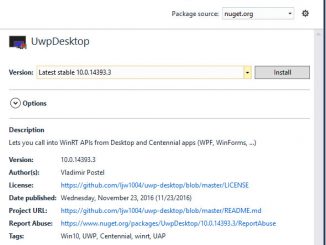

Announcing “UWPDesktop” NuGet Package Version 14393

2017-01-18 KENNETH 0

Announcing “UWPDesktop” NuGet Package Version 14393 The UWPDesktop NuGet package is here to improve the developer experience with Visual Studio when walking along the Desktop Bridge. The Desktop Bridge allows you to call UWP APIs directly from your WinForms, WPF or VB application. You can use APIs such as Live tiles, notifications, App Services and many more! Previously, calling UWP APIs from a converted app was a confusing process. You had to find and reference the right .dll or .winmd, and it often wasn’t obvious which one to choose. For example, to use “await” on UWP types, you had to reference the System.Runtime.WindowsRuntime.dll (c:Program Files (x86)Reference AssembliesMicrosoftFramework.NETCorev4.5 System.Runtime.WindowsRuntime.dll), which was actually from Windows 8.1 and therefore only worked in conjunction with “facadewindows.winmd” (c:Program Files (x86)Windows Kits10UnionMetadataFacadeWindows.WinMD). AppServiceConnectionStatus status = await connection.OpenAsync(); Confusing, right? The new way is much simpler – [ more… ]

Windows 10 Tip: Personalize your Start Page in Microsoft Edge

2017-01-17 KENNETH 0

Windows 10 Tip: Personalize your Start Page in Microsoft Edge Did you know that you can customize your Start and New Tab pages in Microsoft Edge to show news and sites based on your preference, so you can quickly get to the content you want? Both pages give you access to the latest news across business, entertainment, finance and more. Plus, with weather updates, sports scores, recommendations for apps and much more, the Microsoft Edge Start and New Tab Page become your personal dashboard to help you kick-start your web journey every time. Here’s how to start personalizing your Start and New Tab pages: On the Start page, click the “Customize” icon on the top right, below the search bar and select the type of news you would like to see displayed under “My Feed.” On the New Tab Page, [ more… ]

No Image

ICYMI – Free Desktop Wallpaper Background, #WindowsDevDay, Build15003, Bluetooth

2017-01-14 KENNETH 0

ICYMI – Free Desktop Wallpaper Background, #WindowsDevDay, Build15003, Bluetooth Big week in the Windows Developer world! This week we have a new SDK, news about the Windows Developer Day – Windows 10 Creators Update, some curated C# tutorials, new Bluetooth features and if all that wasn’t enough, we created a desktop background featuring our favorite Visual Studio Shortcuts. We hope this desktop background can help both new and experienced developers learn a few tricks to help them become more efficient in Visual Studio. But first, here are last week’s updates: Windows Developer Day – Windows 10 Creators Update Hey devs, get all the details about the upcoming #WindowsDevDay here. https://t.co/mOSMaD7d6C — Windows Developer (@windowsdev) January 11, 2017 New Year, New Dev – C# basics Sharpen your C# skills and start developing the app you've always wanted to create. https://t.co/j4ApI7HoPJ — [ more… ]

No Image

Windows 10 SDK Preview Build 15003 Released

2017-01-14 KENNETH 0

Windows 10 SDK Preview Build 15003 Released Today, we released a new Windows 10 Creators Update SDK Preview to be used in conjunction with Windows 10 Insider Preview (Build 15003 or greater). The Preview SDK is a pre-release and cannot be used in a production environment. Please only install the SDK on your test machine. The Preview SDK Build 15003 contains bug fixes and under development changes to the API surface area. If you are working on an application that you need to submit to the store, you should not install the preview. The Preview SDK can be downloaded from developer section on Windows Insider. For feedback and updates to the known issues, please see the developer forum.  For new feature requests, head over to our Windows Platform UserVoice. Things to Note: The SDK will require Visual Studio 2017 Preview. You can download the Visual Studio [ more… ]