
Made with Unity, Coded on Surface – The Story of Contingent 99

2016-12-02 KENNETH 0

Made with Unity, Coded on Surface – The Story of Contingent 99 Over the next few months, we will feature game creators who are making games using the Unity game development platform. We’ve partnered with the Made with Unity program to showcase some of the amazing, talented game developers out there and how they use Surface to make their games come to life. At Surface, we believe that people’s ideas are their most valuable asset. We strive to make products that break new ground and let people work in ways not previously possible. Whether it’s Surface Studio, Surface Book or Surface Pro 4, we feel that Surface brings a unique value proposition to game creators by combining the amazing performance of a full PC with the versatility of professional digital inking into a single, meticulously crafted device. For Bundy and [ more… ]
A New Input Paradigm in Windows – The Surface Dial

2016-12-02 KENNETH 0

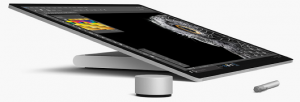
A New Input Paradigm in Windows – The Surface Dial With the debut of Windows Ink in the Windows Anniversary Update, we introduced simultaneous pen and touch as the dawn of a revolutionary change in interacting with Windows. In our blog post, we discuss how you can use the APIs that you are already familiar with for touch to handle both touch and pen processing at the same time. Now with the recent Microsoft hardware announcements, we’re happy to share another innovation in input with you – the Surface Dial. The Surface Dial introduces a new paradigm for input in Windows. The Surface Dial is a new category of input device, which we refer to as a radial controller, and is a revolutionary new tool for the creative process. With tools and shortcuts at your fingertips, the Surface Dial allows [ more… ]

Announcing Windows 10 Insider Preview Build 14977 for Mobile

2016-12-02 KENNETH 0

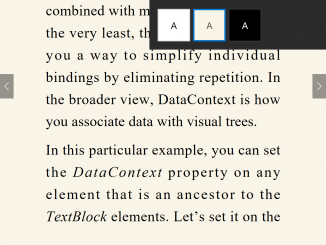
Announcing Windows 10 Insider Preview Build 14977 for Mobile Hello Windows Insiders! Today we are excited to be releasing Windows 10 Insider Preview Build 14977 for Mobile to Windows Insiders in the Fast ring. We will not be releasing a PC build this week due to a blocking bug that could result in broken apps after updating to a new build. What’s new in Build 14977 Read EPUB books in Microsoft Edge on your phone: In addition to being able to read any unprotected e-book in the EPUB file format on your PC with Microsoft Edge – you can also read unprotected e-book in the EPUB file format with Microsoft Edge on your phone! When you open an unprotected e-book in Microsoft Edge, you will be taken into a customizable reading experience where you can change the font and text [ more… ]

No Image

Celebrating the past and future of Minecraft: Pocket Edition

2016-12-02 KENNETH 0

Celebrating the past and future of Minecraft: Pocket Edition We are feeling rather nostalgic on the Minecraft team these days, because November marked just about the five-year anniversary of Minecraft: Pocket Edition. It was fall five years ago when the team first began rolling out Pocket Edition on Android and iOS – beginning with Xperia Play. Since then, Pocket Edition has expanded to run on Kindle devices, Fire TV, GearVR and Windows Phone. It’s grown to over 40 million players that can connect to each other and players on Oculus Rift and Windows 10 via online multiplayer and Realms. In just the past six months, we’ve ushered in redstone, witches, the Wither, Elder Guardians and pig riding. And Pocket Edition and the Windows 10 Edition are about to get the complete game loop with the upcoming 1.0 Ender Update. In [ more… ]

HP announces ProBook x360 11 Education Edition powered by Windows 10

2016-12-01 KENNETH 0

HP announces ProBook x360 11 Education Edition powered by Windows 10 Today, HP announced their new affordable, durable and fully functional learning PC – the ProBook x360 11 Education Edition, powered by Windows 10. As technology usage in the classroom increases, HP has approached the design and creation of this device with students and teachers in mind. In addition to great built-in features like a touchscreen that enables Windows Ink, this PC also comes with student-friendly features, including an optional active pen to make math, art, note-taking in OneNote or highlighting in Microsoft Edge easier than ever. For teachers, great features are built into Windows 10 such as the “Take a Test” app, which includes simple yet secure features for modern test-taking. The app creates a browser-based, locked-down environment for more secure, online assessments, for tests that shouldn’t have copy/paste privileges, [ more… ]