Balancing user-friendliness and developer convenience

2016-11-23 KENNETH 0

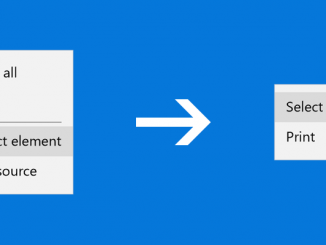
Balancing user-friendliness and developer convenience As a part of our mission to make the web a better experience for all Windows customers, we spend a lot of time looking for ways to improve the Microsoft Edge user experience for end users and developers alike. Introducing a “soft developer mode” for Microsoft Edge Starting with the Windows 10 Anniversary Update, we introduced a change to how developer items are represented in the Microsoft Edge context menu. This change is designed to reduce end user confusion and accidental invocation of the F12 Developer Tools, while preserving full fidelity for developers and minimizing the need for settings toggles. The Windows 10 Anniversary Update introduces a “soft developer mode,” which disables context menu entries for the F12 Developer Tools by default. Developer-specific options like “View Source”, and “Inspect Element” are hidden, but developers will [ more… ]

Windows Ink 2: Digging Deeper with Ink and Pen

2016-11-23 KENNETH 0

Windows Ink 2: Digging Deeper with Ink and Pen In the last post, we explored a brief history of pen computing and introduced you to how easy it is to get started with Windows Ink in your Universal Windows Platform app. You saw that you can enable inking by adding a single line of code, an InkCanvas, to your app to enable inking. You also saw that adding another single line of code, the InkToolbar, gives the user additional pen-related tools like pen-stroke color and stroke type. In this post, we’ll dig deeper into how we can further customize the pen and ink experience to make your application a delightful inking experience for the user. Let’s build a Coloring Book application! Customizing The Inking Experience Getting Started To get started, let’s put in an InkCanvas on the page: <InkCanvas x:Name="myInkCanvas"/> [ more… ]

Windows 10 PCs get Xbox One game streaming with Oculus Rift on Dec. 12

2016-11-23 KENNETH 0

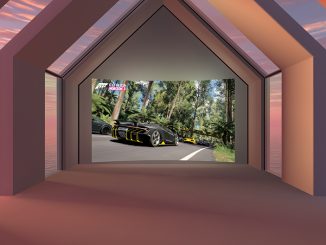
Windows 10 PCs get Xbox One game streaming with Oculus Rift on Dec. 12 Today marks an evolution in our ongoing partnership with Oculus, as Rift owners will be able to stream their Xbox One library to Rift with the new Xbox One Streaming to Oculus Rift app, available for free in the Oculus Store on Dec. 12. The new Xbox One Streaming to Oculus Rift app connects to your Xbox One via your home network. Once connected, your console’s video output is streamed to your Rift headset and projected onto a massive screen in your choice of one of three immersive VR environments: “Citadel,” “Retreat” and “Dome.” Windows 10 is the best platform for playing games on Oculus Rift Rift works natively with Windows 10, which makes it easy to set up, jump in and have an incredible VR [ more… ]

Bullclip makes digital markups and collaboration on Windows 10 PCs incredibly easy

2016-11-23 KENNETH 0

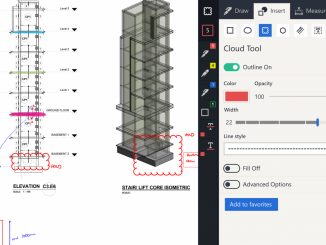
Bullclip makes digital markups and collaboration on Windows 10 PCs incredibly easy We’re excited to welcome Bullclip, a design and construction drawing markup/management tool that opens new ways for project teams to collaborate, to the Windows Store. Bullclip is built for Windows 10, which means it goes wherever you want it to on any Windows 10 PC, including Surface Hub, and is designed to take advantage of the powerful inking and multi-touch capabilities of Windows 10 perfected with Surface. The app is available now as a free download in the Windows Store. Bullclip provides a single platform on a versatile device for team communication, drawing markup and document storage, making it the easiest and most natural step into entirely digital drawing management. It brings together the best of working on paper with the best of working digitally to create an [ more… ]

Students launch Windows 10 IoT experiment into space

2016-11-23 KENNETH 0

Students launch Windows 10 IoT experiment into space Students using Windows 10 IoT and Lego Mindstorm create science experiments on board the International Space Station Valley Christian Schools students and Quest Institute’s Danny Kim prepare for launch With the successful launch of Quest Institute’s first ever Windows 10 IoT based experiment platform onto the International Space Station (ISS) last month, the world of STEM has opened up allowing students—from Elementary to High School—to become true “rocket scientists” and participate in experiments aboard the International Space Station. The need for STEM education continues to grow as the field sees a shortfall of more than 3 million skilled workers in related fields by 2018. “It’s important to encourage STEM education starting at an early age, and space science is a phenomenal way to get kids excited about STEM fields,” said Steve Guggenheimer, [ more… ]