Cortana Skill Update: Helping you keep track of your to-do list

2016-11-18 KENNETH 0

Cortana Skill Update: Helping you keep track of your to-do list The Holiday season is coming, which means it’s list making season and Cortana has a new list skill* to help you out. With the new list skill, Cortana can now easily and conveniently help you manage your lists and keep track of the things you need to do so you don’t have to. Whether it’s planning a holiday meal, buying gifts, getting things done before you head out for vacation, or keeping track of who’s naughty or nice, you can use your voice or type to quickly create a new list, add to an existing list when inspiration strikes, and pull up your lists just when you need them on any device. Cortana will automatically start a Grocery, To Do and Shopping list for you so it’s easy to [ more… ]
Why Skimm’r and fashion tech CEO Amanda Curtis loves Surface

2016-11-17 KENNETH 0

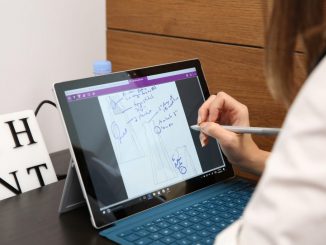
Why Skimm’r and fashion tech CEO Amanda Curtis loves Surface “Surface — like fashion — is a blend of art and business,”  according to Skimm’r (frequent reader of theSkimm), fashion tech entrepreneur and Surface fan Amanda Curtis. Skimm’r and CEO Amanda Curtis working on Surface Pro 4. As Ferris Bueller says, “life moves pretty fast,” so Amanda relies on her Surface and theSkimm to get the most out of her day. Amanda got her Surface Pro 4 as a gift from her mother-in-law and quickly fell in love because “it lets me use my left brain and right brain in ways that just aren’t possible on a Mac, plus it’s light enough to take anywhere.” While you may know Amanda as the Forbes ranked CEO of fashion tech start up Nineteenth Amendment, you may not realize that she actually used [ more… ]

Australian Department of Human Services achieves full Windows 10 deployment

2016-11-16 KENNETH 0

Australian Department of Human Services achieves full Windows 10 deployment Windows10 is enabling Australian Department of Human Services to deliver better access to healthcare, disability and employment support. I had the good fortune to spend a part of my young life in Australia not as a tourist but as an employee of small tour company. Traveling to some of the most majestic cities like Sydney, Canberra, Adelaide and Melbourne, to some of the more rural areas within Queenstown Tasmania, Wagga Wagga New South Wales to Goondiwindi Queensland. I saw first-hand the tyranny of distance in Australia. My time in Australia gave me an appreciation not only of the citizens and the country, but also of the Australian Department of Human Service’s story. It’s tough to bridge the divide between people who have access to amazing services in a big metropolitan [ more… ]

New Surface devices perfect fit for engineers with Siemens NX Certification

2016-11-15 KENNETH 0

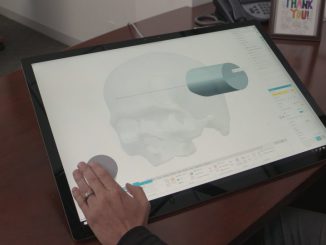
New Surface devices perfect fit for engineers with Siemens NX Certification We’ve seen great momentum across a range of industries and use cases for Surface devices – especially from engineers, who are some of the most creative people in the world. They are often responsible for designing some of today’s most complex and sophisticated products – from trains and planes, to automobiles and medical devices. Today, we’re announcing Microsoft Surface devices, including the new Surface Studio and Surface Book with Performance Base, which are all certified to run Siemens NX software, one of the world’s most advanced product design software applications. This will give engineers the confidence in their ability to utilize Surface devices to help them design and create such innovative products. The Siemens NX team joined us in New York City for our recent launch and I was [ more… ]

Windows 10 Tip: Four ways to use ink in the Windows Maps app

2016-11-15 KENNETH 0

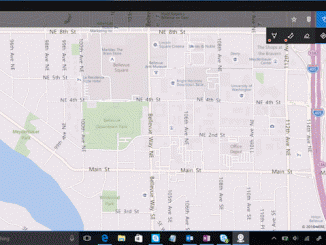
Windows 10 Tip: Four ways to use ink in the Windows Maps app We’ve showed you how to get started with the Windows Ink Workspace on your PC. Today, we’re talking about all the ways it can make trip-planning easier when you use it with the Windows Maps app. By drawing in the app, you can easily get directions, measure distances, leave notes and more. Draw a line between two points for instant directions         Simply draw a line between your start point and destination, and the Maps app will quickly convert your ink into a route and give you directions. Markup and add notes to your map Personalize your map by adding details, marking places and annotating your plans, just like you would on a regular paper map. Trace a route and find distances With the measure tool, you [ more… ]