Citrix ShareFile secured by Windows Hello and Windows Information Protection

2016-11-09 KENNETH 0

Citrix ShareFile secured by Windows Hello and Windows Information Protection Point. Click. Share. More securely. The newest version of ShareFile, the secure file sharing and storage solution used by 99% of the Fortune 500, now integrates two of top security features available in Windows 10 – Windows Hello and Windows Information Protection (WIP).  ShareFile for Windows 10 is optimized for all devices and form factors (AIOs, laptops, 2-in-1, convertibles, tablets and phones) and is available as a free download for Windows 10 customers in the Windows Store today. With the new ShareFile Universal Windows Platform app, customers will be able to sign-in faster, easier and more securely with Windows Hello* using biometric sign-in with a smile or fingerprint or alternatively using ShareFile PIN or Passcode. You can secure your ShareFile account with Windows Hello from “Settings” -> “Passcode settings”. Also, [ more… ]
Trimble brings mixed reality to life for architecture and design

2016-11-08 KENNETH 0

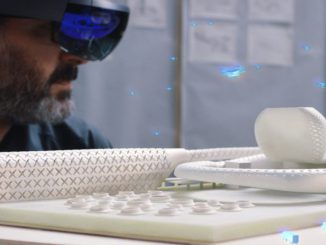
Trimble brings mixed reality to life for architecture and design SketchUp Viewer now available for download in the Windows Store Last month, we showcased our aspiration to empower a new wave of creativity, and our goal to enable that through 3D and mixed reality for everyone. Today, we are thrilled to announce another important milestone in the Microsoft HoloLens and mixed reality journey. This morning at Trimble Dimensions in Las Vegas, alongside Trimble CEO Steve Berglund and prominent architect Greg Lynn, I helped to introduce Trimble’s SketchUp Viewer, which is now available for purchase in the Windows Store. This marks the first extensible commercial HoloLens solution available in the Windows Store that any company in the Architecture, Engineering, Construction and Operations (AECO) industries can buy and use right away. Today, SketchUp is widely used for 3D modeling and design by [ more… ]

Windows 10 Tip: Four ways to customize the Start menu

2016-11-08 KENNETH 0

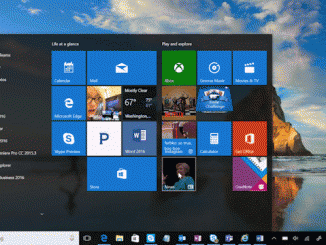
Windows 10 Tip: Four ways to customize the Start menu Today, we’re talking all about getting faster access to your favorite apps with the Start menu! With the Start menu, you can pin your go-to apps and files, get updated info from Live Tiles – like weather and headlines, so you don’t even need to open the app – and more! Here are a few ways you can customize it. Pin your favorite content so it’s always at the ready Easily pin or unpin apps to the Start menu by dragging and dropping an app from list, or by right-clicking and selecting “Pin to Start.” After that, you can click and drag to move apps around or right-click the app to resize. Live Tiles will even surface updates so you can stay up to speed without having to open the app. [ more… ]

Forza Motorsport 6: Apex welcomes new cars and the legendary Nürburgring

2016-11-08 KENNETH 0

Forza Motorsport 6: Apex welcomes new cars and the legendary Nürburgring Premium Edition Bundle available now Forza fans on Windows 10 PC can now experience new content in Forza Motorsport 6: Apex, with the launch of the Forza Motorsport 6: Apex Premium Edition. Released today, the Premium Edition includes the base game of Forza Motorsport 6: Apex, along with three newly released content packs for the game; two car collections and a new track pack, bringing the legendary Nürburgring to the game. The Forza Motorsport 6: Apex Premium Edition is available either as a paid upgrade for current Apex players, or as a standalone bundle purchase for players who haven’t yet downloaded Apex before. The Forza Motorsport 6: Apex Premium Edition bundle, which features the full version of Apex along with all three content packs, is available now for $16.99. [ more… ]

Kinect demo code and new driver for UWP now available

2016-11-05 KENNETH 0

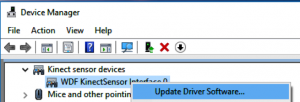
Kinect demo code and new driver for UWP now available Here’s a little memory test: Do you recall this blog, which posted back in May and promised to soon begin integrating Kinect for Windows into the Universal Windows Platform? Of course you do! Now we are pleased to announce two important developments in the quest to make Kinect functionality available to UWP apps. First, by popular demand, the code that Alex Turner used during his Channel 9 video (above) is now available on GitHub as part of the Windows universal samples. With this sample, you can use Windows.Media.Capture.Frames APIs to enumerate the Kinect sensor’s RGB/IR/depth cameras and then use MediaFrameReader to stream frames. This API lets you access pixels of each individual frame directly in a highly efficient way. These new functionalities debuted in the Windows 10 Anniversary Update, and [ more… ]