
The “Internet of Stranger Things” Wall, Part 1 – Introduction and Remote Wiring

2016-11-01 KENNETH 0

The “Internet of Stranger Things” Wall, Part 1 – Introduction and Remote Wiring Overview I am a child of the 80s. Raiders of the Lost Ark was the first movie I saw by myself in the movie theater. The original Star Wars trilogy was an obsession. And WarGames is one thing that inspired me more than anything else to become a programmer. But it was movies like The Goonies that I would watch over and over again because they spoke to me in a language that reflected what it was like to be a kid at that time. They took kids on a grand adventure, while still allowing them to be kids in a way that so few movies can pull off. So, of course when a friend pointed out the Netflix series Stranger Things, I dove right in, and [ more… ]
Small businesses increase sales and make better connections with new technology solutions

2016-11-01 KENNETH 0

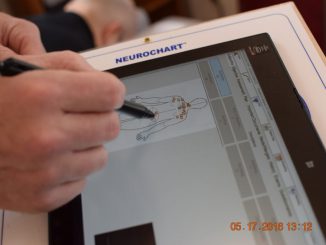
Small businesses increase sales and make better connections with new technology solutions Since the global financial crisis of 2008, many countries have struggled to return to strong economic growth. Nonetheless, small and midsize businesses (SMB) continue to be an engine for economic growth.  According to the International Organization for Standardization, SMBs are responsible for 50% of worldwide economic output. Business owners are all over the map when it comes to their needs and level of understanding, so Microsoft’s vision is to create technology that allows you, the small business owner, to do more. We have worked with partners like Toshiba to create devices that run all the required apps, like Office and QuickBooks, so you can focus on running your business. Like so many small-business owners, chiropractor David Kirdahy’s most precious commodity is time. For more than 30 years, Kirdahy [ more… ]

Windows 10 Tip: How to set up Windows Hello on your PC

2016-11-01 KENNETH 0

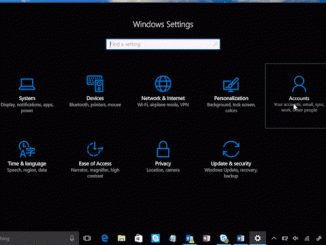
Windows 10 Tip: How to set up Windows Hello on your PC Did you know that with Windows Hello, you can sign into your Windows 10 devices* in less than two seconds**? Windows Hello uses biometric sensors to recognize your face or fingerprint instantly and unlocks your device without needing a password. To get started, check to see if your device works with Windows Hello: Go to Windows Settings (or simply type Windows key + I) > select Accounts > Sign-in options > Windows Hello If it doesn’t, you have a couple of options. Consider buying a new PC, fingerprint accessory or camera accessory so that you can use the facial unlock or biometric security capabilities of Windows Hello. Here’s how to set up Windows Hello: Open the Settings menu (or simply type Windows key + I). Go to Accounts [ more… ]

No Image

A peek into the WebAssembly Browser Preview

2016-11-01 KENNETH 0

A peek into the WebAssembly Browser Preview Following the introduction of asm.js, we have been working with other browser vendors including Mozilla, Google, Apple, along with the rest of the WebAssembly community group, to push the performance boundary of the web with WebAssembly. WebAssembly is a new, portable, size- and load-time-efficient binary compiler target, which promises near-native performance on the web. As the community group comes close to consensus over the final design of the MVP (minimum viable product) release, we are pleased to share that the WebAssembly standard is in browser preview and invite the community to provide feedback on the WebAssembly design. We’re continuing to make progress towards a public preview implementation in Microsoft Edge, and today we’re excited to demonstrate WebAssembly in our internal builds. The Browser Preview The WebAssembly browser preview is effectively a release candidate [ more… ]

No Image

Just released – Windows developer evaluation virtual machines – October 2016 build

2016-10-29 KENNETH 0

Just released – Windows developer evaluation virtual machines – October 2016 build We’re releasing the October 2016 edition of our evaluation Windows developer virtual machines (VM) on Windows Dev Center. The VMs come in Hyper-V, Parallels, VirtualBox and VMWare flavors and will expire on 01/17/17. These installs contain: Windows 10 Enterprise Evaluation, Version 1607 Visual Studio 2015 Community Update 3 (Build 14.0.25425.01) Windows developer SDK and tools (Build 14393) Microsoft Azure SDK for .NET (Build 2.9.5) Windows Bridge for iOS (0.2.160927) Windows UWP samples (October 2016 Update) Windows Bridge for iOS samples Bash on Ubuntu on Windows If you want a non-evaluation version, we licensed virtual machines as well but you’ll need a Windows 10 Pro key.  The Azure portal also has virtual machines you can spin up with the Windows Developer tooling installed too! If you have feedback on the VMs, please provide it [ more… ]