No Image

Windows 10 SDK Preview Build 19041 available now!

2019-12-18 KENNETH 0

Windows 10 SDK Preview Build 19041 available now! Today, we released a new Windows 10 Preview Build of the SDK to be used in conjunction with Windows 10 Insider Preview (Build 19041 or greater). The Preview SDK Build 19041 contains bug fixes and under development changes to the API surface area. The Preview SDK can be downloaded from the developer section on Windows Insider. For feedback and updates to the known issues, please see the developer forum. For new developer feature requests, head over to our Windows Platform UserVoice. Things to note: This build works in conjunction with previously released SDKs and Visual Studio 2017 and 2019. You can install this SDK and still also continue to submit your apps that target Windows 10 build 1903 or earlier to the Microsoft Store. The Windows SDK will now formally only be supported by Visual [ more… ]
Announcing Windows 10 Insider Preview Build 19536

2019-12-17 KENNETH 0

Announcing Windows 10 Insider Preview Build 19536 Hello Windows Insiders, today we’re releasing Windows 10 Insider Preview Build 19536 to Windows Insiders in the Fast ring. The Fast ring going forward Back in early November, we announced that Windows Insiders who had opted into Skip Ahead would be migrated back into the Fast ring with the goal of providing everyone in the Fast ring the freshest builds at the same time. With today’s flight—we’re excited to put that plan into motion! Internally, our engineers work in development cycles with various milestones. The active development branch (called “RS_PRERELEASE”) is where the teams check in all their latest code changes into the OS. Moving forward, the Fast ring will receive builds directly from this active development branch and new features will show up in these builds first. While features in the active [ more… ]

Customer Success with NGINX Plus: mobilcom-debitel Achieves 60% Cost Reduction, Enhanced Performance with Apigee Rip-and-Replace

2019-12-17 KENNETH 0

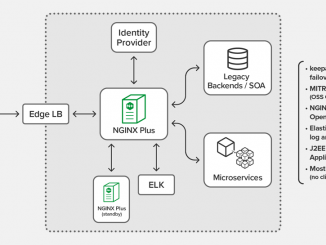
Customer Success with NGINX Plus: mobilcom-debitel Achieves 60% Cost Reduction, Enhanced Performance with Apigee Rip-and-Replace In his session at NGINX Conf 2019, Felix Colaci, Enterprise Architect at mobilcom-debitel, shared how the company successfully replaced Apigee with NGINX Plus as its API gateway solution. If you’re wondering why and when to use NGINX Plus over a more complex API management solution like Apigee, read on! Felix described his company’s journey, highlighting: Why mobilcom-debitel needed an API gateway The challenges they faced with Apigee What made NGINX Plus the better solution How the rip-and-replace paid off In this blog we highlight some key takeaways from Felix’s session. You can watch the complete video here: The Need: API Management In 2012, mobilcom-debitel decided to rethink its application delivery strategies and focus on a company‑wide API architecture to replace the many different systems in place across its infrastructure. [ more… ]

No Image

Get started building extensions for the new Microsoft Edge

2019-12-17 KENNETH 0

Get started building extensions for the new Microsoft Edge Starting today, the Microsoft Edge Addons store is now open for submissions for all developers. This is where users will find your extensions for the new Microsoft Edge. You can submit your extensions today by visiting the Partner Center Developer Dashboard. In most cases, existing extensions built for Chromium will work without any modifications in the new Microsoft Edge. Check out our developer documentation to learn more about Microsoft Edge-specific APIs, tips on submitting your extension, and other helpful information. The extension submission program is in its preview phase and we are excited to hear and incorporate your feedback. Transitioning your existing extensions to Chromium As we move towards the general availability of the new Microsoft Edge on January 15th, 2020, we will no longer accept new submissions for Microsoft Edge [ more… ]

Windows search bar: The one stop for answers, now with Bing Visual Search

2019-12-17 KENNETH 0

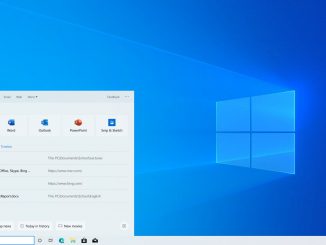
Windows search bar: The one stop for answers, now with Bing Visual Search Every day, we have questions. Search engines, apps, digital voice assistants, or phones are usually our go-to places to find answers. You may already know that you can use the search bar in Windows – found on your PC taskbar – to find things like an app, setting, or a file you’ve been working on. But did you know it can also find answers to questions like… What’s the weather like in Paris? What’s the score of the Leicester City match? How do you unzip a file? Windows brings all these searches together in one place. It’s easy to find and easy to use. You don’t have to scroll through a long list of results, you don’t have to open a browser, and you don’t have to [ more… ]