Announcing Windows Admin Center Insider Preview 1806

2018-06-20 KENNETH 0

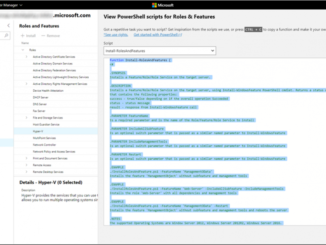
Announcing Windows Admin Center Insider Preview 1806 Hello Windows Insiders! Today we are excited to release Windows Admin Center Preview 1806 to Windows Server Insiders. First, an explanation of our two version options: Preview version: For IT admins who want the latest and greatest features on a regular cadence, this version is for you. Windows Admin Center Preview 1806 is the first post-GA preview release, and our intent is to provide subsequent update releases every month or so. The core platform continues to be production-ready and the license provides production use rights. However, note that you will see the introduction of new tools and capabilities which are clearly marked as PREVIEW and are suitable for evaluation and testing. GA version: For IT admins who are not able to update frequently or who want more validation time for the releases they [ more… ]
Announcing Windows Server 2019 Insider Preview Build 17692

2018-06-20 KENNETH 0

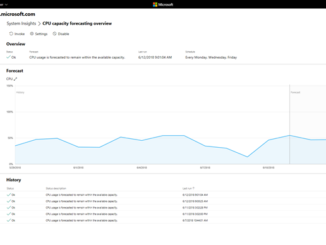
Announcing Windows Server 2019 Insider Preview Build 17692 Hello Windows Insiders! Today we are pleased to release a new build of the Windows Server vNext Long-Term Servicing Channel (LTSC) release that contains both the Desktop Experience and Server Core in all 18 server languages, as well as a new build of the next Windows Server Semi-Annual Channel release in English. In addition, the first preview of Microsoft Hyper-V Server is included with this build. For 17692 only, we recommend a clean install. See Known Issues, below. Build-to-build upgrade is currently not supported. What’s New Click here to see the full list of new functionality introduced in earlier builds of Windows Server. Microsoft Hyper-V 2019 Preview This is the first Insider Preview of Microsoft Hyper-V 2019. Microsoft Hyper-V Server is a stand-alone product that contains only the Windows hypervisor, a Windows [ more… ]

Improved JavaScript and WebAssembly performance in EdgeHTML 17

2018-06-20 KENNETH 0

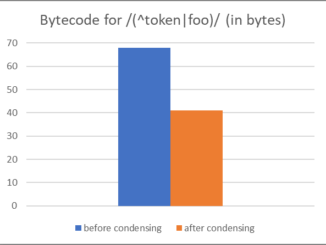
Improved JavaScript and WebAssembly performance in EdgeHTML 17 In every release of Microsoft Edge, we tune the Chakra JavaScript engine to provide better startup and execution performance, with a leaner memory footprint, and with improved responsiveness on real-world workloads. As EdgeHTML 17 rolls out to users as part of the Windows 10 April 2018 Update, we’d like to dive into some of the optimizations we’ve made in the Chakra engine in this release. These ongoing optimizations can have a dramatic impact on the day-to-day browsing experience for end users, resulting in faster sites and web apps. Leaner memory footprint (Re-)defer parsing for arrow functions and object literals methods Over the past two Windows releases, we have been improving Chakra’s defer- and re-defer-parsing pipeline, allowing pages to start up faster while consuming less memory. When given a script, Chakra performs a quick pre-parse check for [ more… ]

Windows 10 Tip: How to start using Nearby Sharing with the Windows 10 April 2018 Update

2018-06-19 KENNETH 0

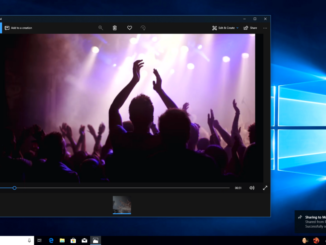
Windows 10 Tip: How to start using Nearby Sharing with the Windows 10 April 2018 Update It’s called Nearby Sharing. Here’s what you can do with it: Share quickly. Send any video, photo, document, or webpage viewed on Microsoft Edge to people nearby by clicking on the share charm in the app or right-clicking to get the share menu. You can share a report with a colleague in your meeting room or a vacation photo with your best friend in the library.* Take the quickest path. Your computer automatically picks the fastest way to share your file or webpage, either over Bluetooth or Wi-Fi. See who’s available. Bluetooth allows you to quickly discover potential devices with which you could share.** Here’s how to get started: In your Action Center, click on Nearby Sharing to turn it on. From there, click [ more… ]

No Image

Enhancing automated testing in Microsoft Edge with new WebDriver capabilities, W3C protocol support, and automatic updates

2018-06-15 KENNETH 0

Enhancing automated testing in Microsoft Edge with new WebDriver capabilities, W3C protocol support, and automatic updates Just last week, the WebDriver specification officially became a W3C Recommendation, defining a standard way for web developers and browser engineers to automate the browser. This is a major step forward for web site and web app testing, as well as cross-browser interoperability initiatives like web-platform-tests. Over the past few months we’ve been working to implement the updated W3C dialect for WebDriver in Microsoft Edge—a generational improvement to automated testing on the web. Today’s Windows Insider Preview release (17692) includes our updated implementation, as well as making it a Feature on Demand, so it’s easier than ever to get started. WebDriver is now a Feature On Demand WebDriver needs to match the version of Microsoft Edge you’re testing against, which has historically required manually [ more… ]