Top 5 Windows and Microsoft Store Trends Every Developer Should Know

2018-03-24 KENNETH 0

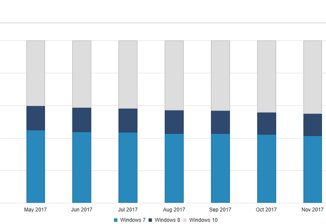
Top 5 Windows and Microsoft Store Trends Every Developer Should Know We are excited to share the latest version of the Windows and Microsoft Store trends page – a trusted source for hardware and Microsoft Store aggregated population data. This data provides you with insights to help you make development and business decisions as you build and update your Windows apps. Below are some highlights from the data. We encourage you to visit the trends page to draw your own insights. Windows 10 adoption Windows 10 is now on more than 600 million monthly active devices, ranging from Xbox One consoles, tablets, laptops, Windows Mixed Reality headsets and more. We’ve also introduced Windows 10 with S mode, which delivers users predictable performance and quality through apps available in the Microsoft Store. With Windows 10 adoption growing and the introduction of [ more… ]

No Image

Announcing Windows 10 Insider Preview Build 17128 for Fast

2018-03-24 KENNETH 0

Announcing Windows 10 Insider Preview Build 17128 for Fast Hello Windows Insiders! Today, we are releasing Windows 10 Insider Preview Build 17128 (RS4) to Windows Insiders in the Fast ring. On Build 17128, you will notice that the watermark at the lower right-hand corner of the desktop has disappeared. This does not mean this is the final build as we are not done yet. We’re just now beginning the phase of checking in final code to prepare for the final release. The only difference between this build and Build 17127 from Tuesday is the removal of the watermark. However, we’ve got more fixes being checked in for the next flight. Additionally, we have also released Build 17127 to Windows Insiders in the Slow ring. We plan to provide the ISO for this build early next week. Introducing Cortana Show Me [ more… ]

No Image

Announcing Windows 10 Insider Preview Build 17627 for Skip Ahead

2018-03-22 KENNETH 0

Announcing Windows 10 Insider Preview Build 17627 for Skip Ahead Hello Windows Insiders! Today, we are releasing Windows 10 Insider Preview Build 17627 (RS5) to Windows Insiders who have opted into Skip Ahead. General changes, improvements, and fixes for PC We fixed an issue where If you try to open a file that is available online-only from OneDrive that hasn’t been previously downloaded to your PC (marked with a green checkmark in File Explorer), your PC could bugcheck (GSOD). We fixed an issue resulting in the Emoji Panel not working in the last two flights. When a process in Task Manager is suspended, or has suspended child processes, you’ll now see an icon indicating as much in the Status column of the Processes tab. Known issues If you open Settings and clicking on any links to the Microsoft Store or [ more… ]

Announcing Windows Server vNext LTSC Build 17623

2018-03-21 KENNETH 0

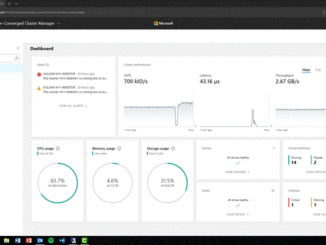
Announcing Windows Server vNext LTSC Build 17623 Hello Windows Insiders! Today we are pleased to release the first build of the Windows Server vNext Long-Term Servicing Channel (LTSC) release that contains both the Desktop Experience as well as Server Core in all 18 server languages, as well as the first build of the next Windows Server Semi-Annual Channel release. What’s New in Windows Server vNext LTSC Build 17623 For every preview release, we will provide a focus area that we would like you to take a look at and provide us with feedback on. We encourage you to try out any functionality in the release and we welcome your feedback. Validation for every preview: There are two major areas that we would like you to try out in each preview release and report back any issues: In-place OS Upgrade (from [ more… ]

Announcing Windows 10 Insider Preview Build 17127 for Fast

2018-03-21 KENNETH 0

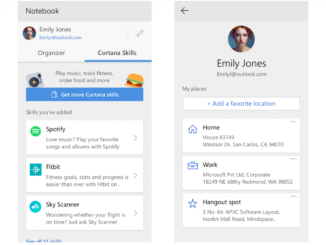
Announcing Windows 10 Insider Preview Build 17127 for Fast Hello Windows Insiders! Today, we are releasing Windows 10 Insider Preview Build 17127 (RS4) to Windows Insiders in the Fast ring. What’s new in Build 17127 Cortana Improvements A new profile page! We’re introducing a new server-powered profile page in Cortana for you to add and edit your favorite places. The places you add are used to give you traffic updates for your daily commute, and let you easily set reminders when you arrive or leave your places. To get to this page, head to the Notebook section of Cortana and click the button to the right of your name. This is available for all Cortana markets*. This will soon extend beyond places to cover your Interests, Family, Accounts and more. Stay tuned for updates! Cortana’s new Notebook goes international with [ more… ]